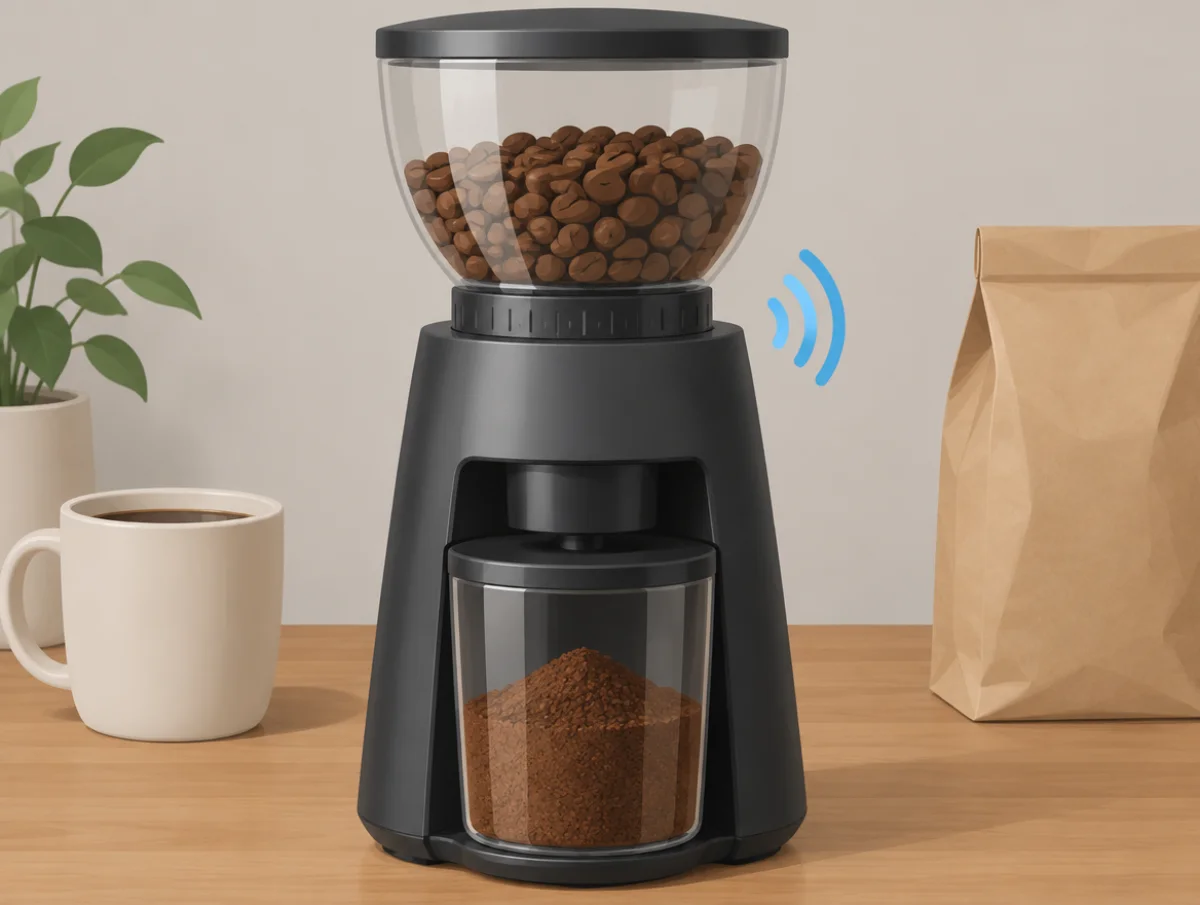
Electric coffee grinders make a short, sharp noise by design, and most of their odd sounds come from four places: a stone or other hard object in the beans, burrs set so fine that they rub, ground coffee packed into the chute, and a motor that has overheated or stalled. Burr grinders produce nearly all of the complaints. Blade grinders are simpler and break in different ways.
The answers below come from grinder manuals and help pages by Breville, Baratza, OXO, Fellow, KitchenAid, Eureka, De'Longhi and KRUPS, all opened on November 16, 2026. Capresso's manual sits on a JURA store that returned a firewall block, Cuisinart's US site put up a bot check, and we located no Bodum, Hario or Rancilio grinder manual on a maker's own site, so none of those five is quoted. Built-in grinders inside espresso machines are covered on our coffee maker noises page.
| Sound | Cause a maker names | First step |
|---|---|---|
| Sudden loud racket | Foreign object, blocked chute or moisture (Breville, OXO) | Unplug, lift the hopper, clear the burrs |
| Motor runs, nothing comes out | Empty hopper, stuck oily beans, clog (OXO, Breville, Baratza) | Refill or stir beans, then clear the chute |
| Grating or rubbing | Burrs touching (KitchenAid) | Turn one click coarser at once |
| Squeal | Obstruction in the burrs (KitchenAid) | Inspect the burrs |
| Chirp at the finest setting | Burrs meeting at their zero point (Fellow) | Normal on a new Ode; grind a notch coarser |
| Stops mid grind, beeps SOS | Jam (Fellow) | Coarsest setting, tap the side |
| Stops and shows Er2 or Er3 | Motor protection modes (KitchenAid) | Clean burrs, or cool 10 minutes |
| Will not restart | Thermal cutout (Breville, OXO, De'Longhi) | Wait, then call if it stays dead |
Why is my grinder suddenly so loud?
A burr grinder that starts making a racket mid grind has usually caught something hard, or its chute is blocked. Breville and OXO both trace a new, louder sound to a foreign object in the burrs.
Breville's Smart Grinder Pro manual has a row for a motor that "operates with a loud ‘racket’ noise." It gives two causes: "Grinder is blocked with foreign item or chute is blocked," and "Moisture clogging grinder." The first fix is to "Remove bean hopper, inspect burrs and remove any foreign body." The second is cleaning, then drying, and Breville even suggests a hair dryer pointed into the lower burr.
OXO's conical burr grinder instructions use plainer words. "Grinder is louder than normal" has one cause, a foreign item, and the same remedy: unplug, take off the hopper, inspect the upper and lower burrs and remove what you find.
Where do the objects come from? The beans. Fellow's list of things to look for during a jam reads "rocks, sticks, unroasted coffee bean," and every Baratza manual we opened excludes damage from "foreign objects (stones, screws, etc.) in the beans" from its warranty. Breville, OXO, KitchenAid, Fellow and KRUPS all ask owners to check the hopper or chamber for anything that is not coffee before grinding.
Water does the other kind of damage. Baratza says flatly "Do NOT wash the burrs with water, or they will rust," and OXO bans water or any liquid inside the grinder.
Motor running, nothing coming out
An empty or stalled hopper is the first suspect when the motor whirs and the cup stays empty. OXO's grinder keeps running if the beans run out before its timer ends, and stuck oily beans, a blocked chute or a loose burr give the same result.
That whir with no grounds is what many owners call popcorning, after the last few beans that bounce on top of the burrs without being pulled in. None of the manuals here uses the word or offers a fix for it beyond keeping the hopper filled.
OXO's troubleshooting table has the longest list for "Grinder starts but produces no coffee grounds":
- No beans in the hopper.
- A blocked trap door under the hopper.
- A clogged grounds chute, cleared with a small flexible brush.
- Beans not flowing: "Oily beans can sometimes stick together," so stir them with a wooden spoon.
- An upper burr not locked in place, which "will click into place when secure."
Breville covers the same symptom with an empty hopper and a blocked hopper or burrs. Baratza explains how the blockage forms. Its Encore manual says that when coffee mounds past the fill line, or dark, oily or flavored coffee goes through without regular cleaning, "Ground coffee can stick to built-up oils in the grinder and cause a clog to form."
Clearing a packed clog
Baratza gives the most detail. On the Encore ESP, owners remove the cone burr and the parts beneath it, then empty the grind chamber until its white plastic walls show. "Compacted coffee can become very hard," so the manual suggests a small hex wrench or the brush handle to chip it out, and a clear exit chute under the red marker.
The Sette 270 manual uses a toothpick or chopstick on the six ports in the cone burr holder. It also warns that "tablets will not clear a clogged grinder." Cleaning tablets prevent the buildup; they do not break up a plug that is already there.
If the clog will not shift, the ESP manual says "do not hesitate to contact Baratza support."
Grating, rubbing and squealing come from the burrs
A grating or rubbing sound means the two burrs are touching, and a squeal means something is caught between them. KitchenAid treats the first as urgent: back the setting off one click right away.
KitchenAid's burr grinder help page puts it bluntly: a grating or "rubbing" sound during use means the burrs have been improperly adjusted. "Damage to the burrs will result. Re-adjust the burrs immediately." The fix is to "Turn the grind control gear one “click” counterclockwise," after which the sound should stop. For a squeal the page is brief: "Check to see that there is no obstruction in the burrs."
Fellow sees the same contact differently on a new grinder. Its Ode manual, for the first generation model BGAAUS, ships the grinder with its burrs touching at setting 1. "Upon arrival, the burrs chirping at setting 1 indicates your grinder is calibrated." Fellow still asks owners to stay off setting 1 for the first 10 lbs of coffee, because the burrs "will “chirp” and hit each other."
The two makers agree on the practical point. A burr-on-burr sound while grinding is a setting problem, and the cure is one step coarser.
How do you calibrate grinder burrs?
Calibration moves the point where the burrs meet so the dial covers the range you brew in. Fellow, Baratza and KitchenAid each expect wear to shift that point and give a way to correct it.
Wear pushes the grind coarser over time. Fellow says the Ode's touch point "will drift slightly which is normal," and that settings shift "slightly coarser." Baratza describes the same thing from the other side: on the Encore ESP, "the grind settings used may slowly shift so that a finer grind setting must be used," which "will eventually stop as the parts are settled."
The corrections differ by grinder:
- Baratza Encore ESP: shims under the cone burr, where one shim moves the grind "by about five settings."
- Baratza Sette 270: a small washer below the cone burr, for when "the grind produced at the lowest setting may not be fine enough for espresso" after the first few pounds.
- KitchenAid KCG8433: an upper burr with a micro adjustment latch, which the use and care guide says "expands the grind size range."
- Fellow Ode: a procedure shown in videos at fellowproducts.com/odemanual, mainly for owners who grind fine for AeroPress or V60.
If shims do not get an Encore ESP fine enough for espresso, Baratza suspects "an issue with assembly or a part of the unit" and asks owners to contact support.
Turn the dial only while it runs
Adjusting a burr grinder finer with beans sitting in a stopped burr chamber can jam it. OXO, Baratza, Eureka and KitchenAid each tell owners to move the setting with the motor on, or with the grinder empty.
The wording varies. OXO: "If beans are in the hopper, adjust the grind size while the motor is running to prevent jamming." Baratza's Virtuoso+ manual says the grinder "must be running or completely empty of beans to prevent damage." Eureka's Mignon manual warns that turning the knob with the motor at a standstill means "the appliance could stop," and KitchenAid's tip for a stiff knob is to run the machine while turning it, so grounds caught between the burrs clear.
Four makers, one rule.
When the grinder stops, beeps or will not restart
A grinder that stops abruptly has usually jammed or overheated. KitchenAid blames a bean caught in the burrs, Fellow's Ode beeps SOS, and Breville, OXO and De'Longhi each build in an overheat shutoff that needs a rest period before the motor will run again.
On the KCG8433, "A coffee bean, may have jammed the burrs" when the grinder stops mid run, and the display codes say more. "Er2" is "motor overload protection mode": unplug, clean the burrs, reassemble. "Er3" is a protection mode that clears after 10 minutes of cooling.
Fellow splits jams in two. For a minor one, the Ode goes to setting 11 and the owner is told to "Tap the grinder firmly on the side several times and shake," then press the button while still tapping. A major jam means removing the burrs and clearing the chamber. Afterwards the grinder should "spin quietly and at an even speed," and an unexpected noise means repeating the clean, then calling Fellow if it persists.
Overheating gets a waiting period rather than a repair. Breville's overheated Smart Grinder Pro needs "20 minutes to cool down before using again." OXO's locks itself for 30 minutes after more than five minutes of grinding in any 10 minute window. De'Longhi's Dedica KG521 page is the exception: "The appliance has overheated & the thermal cutout on the motor has tripped," and the advice is "Contact an authorised Customer Services."
What about a hum or buzz with the burrs not turning? These manuals never describe that sound. The nearest instruction is Eureka's: "Always switch the grinder off before removing any blockages in the spout."
How long can a grinder run without overheating?
Not long. The limits printed in these manuals run from Breville's 2 minutes at a stretch to a few seconds per espresso dose on Baratza's Sette, with rests in between, and grinding past them is the usual route to a thermal cutout.
| Grinder | Limit the maker prints | Rest |
|---|---|---|
| Breville Smart Grinder Pro | 2 minutes at a time | At least 2 minutes; 10 to 15 minutes after long operation |
| OXO conical burr | No more than 5 minutes in any 10 | 2 minutes after each use; 30 minute lockout |
| Baratza Sette 270 | About 6 seconds per espresso dose; up to 150 g of filter coffee at once | 60 seconds |
| Fellow Ode (first generation) | 80 g before emptying the catch | Not stated |
| Eureka Mignon | 160 g per activation | Not stated |
An overfilled grounds container causes jams as well as mess. OXO warns that grounds piled past the fill line "can back up and block the grounds chute, and jam or burn out the motor." Fellow says the same of an overfull catch, and Baratza says an overflowing bin can leave the grinder "clogged and damaged."
Blade grinders work differently
A blade grinder has no burrs to rub or calibrate. It spins one blade only while the button is held, and fineness depends on how long you grind, so most sounds trace to an overfilled cup or a lid that is not seated.
KRUPS's F203 instructions explain the basics: "The power will only stay on as long as the button is pressed," and "The coffee will be ground fine or coarse depending on the amount of grinding time." The blade should stop "within 2 to 3 seconds" of letting go. The lid is part of the safety interlock, and the manual says not to try to defeat it.
When an F203 will not start, the KRUPS FAQ says "Check that your appliance is plugged in and that the lid is correctly in place," and to contact an approved repair centre if it still refuses.
Can you make a coffee grinder quieter?
Not by much, going by the makers. Their advice covers keeping the grinder working smoothly: clean burrs, sensible settings, a stable surface. None prints a decibel saving for any of it.
Cleaning is the step with a schedule. Baratza asks for the burrs to be brushed about once a month on a grinder used daily, with cleaning tablets when dark, oily or flavored coffee goes through. Fellow says every three months at least. OXO suggests tablets when one roast keeps clogging the chute.
Placement gets one line each. Fellow wants a dry, flat surface away from the counter edge, since "Vibration during operation may cause the grinder to move," and Eureka asks for a flat, stable base that can carry the grinder's weight.
The quietest option is a different grinder. Our quietest coffee grinders guide covers the nine home burr models whose makers print a noise figure and why those figures fall into three groups that cannot be ranked together. Most household names publish none. Eureka's Silent range claims about 20 dB less than conventional grinders without naming the baseline, and Fellow's Ode Gen 2 page promises quiet grinding with no number attached.
When to stop and contact the maker
Stop grinding when the burrs will not turn, when the noise survives a cleaning, or when the grinder keeps tripping its cutout. Each maker draws its own line for handing the job to service.
- Baratza: a clog you cannot clear, or an Encore ESP that will not reach espresso fineness after shimming.
- Fellow: a noise that remains after a second clean of a jammed Ode.
- KitchenAid: any problem the troubleshooting table cannot fix. "Do not return the Burr Grinder to the retailer," the KCG8433 guide adds, because retailers do not provide service.
- Eureka: "If the motor fails, switch the grinder off and contact an authorised service center." Its manual also reserves maintenance for trained technicians.
- De'Longhi: a KG521 that stops during grinding.
- KRUPS: an F203 that will not start with the lid seated, and any repair beyond cleaning.
Some help is easy to miss. Baratza's documents library holds the current manuals for every model it sells, older grinders included, which helps when the paper copy is long gone.
Other kitchen noise reading
For built-in grinders, pumps and gurgles, see coffee maker noises explained, and for the kettle beside it, electric kettle noises explained. Blenders share the short burst of high-speed noise, and two pages deal with them: how to make a blender quieter for the one you own, and our quietest blenders picks for a replacement. Home millers can compare figures in the quietest grain mills guide.
A grinder that sounds rougher every year may simply be wearing; why your appliance got louder covers that pattern, and the decibel chart sets kitchen sounds beside everyday ones.