How to make a laptop fan quieter starts with a setting many owners never open: the quiet or silent thermal mode that Lenovo, Dell, HP, ASUS, MSI and Apple put in their own apps. Those modes cap how much power the processor may draw, so the fan has less heat to carry away. Clear vents, current firmware and a frame cap for games do most of the rest.
The steps run from free settings to a replacement, and each comes from a laptop maker's support article, user guide or utility manual, with Microsoft, NVIDIA and AMD covering the software layer. Desktop towers have a separate guide, and our computer fan noises explainer identifies a grind, click or whine by cause.
What is the quickest way to make a laptop fan quieter?
The quickest way to make a laptop fan quieter is the maker's own quiet mode, often one key press away: Fn + Q on many Lenovo models, Fn + F on ASUS, and Fn + F7 on selected MSI models.
Under different names, these modes lower the power ceiling for the processor, and on gaming models the graphics chip, then hold the fan to a lower target. Dell's Power Manager guide states the trade for its Quiet setting: "Cooling fan and processor speeds are lowered to reduce fan noise."
Two other free steps take a minute: move the laptop onto a desk, and trim what starts with Windows. Dell's fan troubleshooting article says fewer startup apps help "the fans run slower comparatively due to lesser load on the processor (CPU)."
How do I make my laptop fan quieter in Windows 11?
Windows 11's own lever is Power mode, under Settings, System, Power & battery. Choosing Best power efficiency, or Balanced in place of Best performance, is the change HP and Dell both suggest, and Lenovo ties ThinkPad fan speed to it.
Microsoft's power mode page sets the mode separately for "Plugged in" and "On Battery" and never mentions fans. Lenovo's X1 Carbon Gen 10 guide fills the gap: in Best power efficiency, "power consumption and performance are lowered to get your computer cooler, quieter and more eco-friendly".
HP's notebook fan page tells owners to "select either Balanced or Best power efficiency." Dell's overheating guide gives the same advice, and Dell Optimizer can sync its thermal mode "with the Windows performance power slider".
How do I make a Lenovo laptop fan quieter?
Lenovo laptops get quieter in Quiet mode, picked in Lenovo Vantage, Lenovo PC Manager or Legion Zone, or with Fn + Q on models that have the shortcut. ThinkPads follow the Windows power mode instead.
The Legion Slim 5 guide recommends Quiet for battery use or when you want "the computer to be as quiet as possible", and Performance for someone who doesn't "care if the fan makes a little noise." Balance "dynamically switches between Performance mode and Quiet mode" as tasks change.
Mode names vary by line. On the ThinkBook 14s Yoga, Fn + Q cycles Intelligent Cooling, Battery Saving and Extreme Performance, where "higher fan speeds may cause a larger amount of noise." The older ThinkPad L14 Gen 1 puts a Quiet mode with "the quietest fan noise" on the battery slider.
How do I make a Dell laptop fan quieter?
Dell laptops get quieter on the Quiet thermal setting in Dell Power Manager or Dell Optimizer, which lowers fan and processor speeds. Dell says manual fan control is not available on its computers, apart from Alienware Command Center.
The other settings are Optimized, Cool and Ultra performance, which Fn + T switches on and off. Dell's caution on Quiet is that it "may also reduce system performance and raise system surface temperature", and if a fan has failed, Dell disables Thermal Management entirely.
For a hot laptop, Dell's overheating guide points to Cool, which "will increase the fan speed which increases the fan sound." Quiet is the setting for a laptop that is loud but not overheating. Alienware owners can set fan speed in Alienware Command Center, which Dell says is "for Alienware devices only".
How do I make an HP laptop fan quieter?
HP laptops with HP Command Center get quieter on its Quiet thermal profile, where HP says the fan turns off or runs minimally. OMEN gaming laptops use ECO mode in OMEN Gaming Hub for the same purpose.
HP's Command Center page calls Quiet "Ideal for quiet environments", notes "CPU performance is decreased", and warns that "this mode might not be available" on some configurations. The app may need installing from the Microsoft Store.
On OMEN laptops, HP's Gaming Hub page says ECO is "designed for customers who want to minimize fan noise and power usage, specifically for nongaming scenarios." It locks the fan to Auto, limits the display refresh rate to 60 Hz or half, and disables Intel Turbo Boost. Select models add a MANUAL fan slider.
How do I make an Acer laptop fan quieter?
Acer gaming laptops are set in NitroSense or PredatorSense, where Acer's manual describes operating modes and three fan levels: Auto, Max and Custom. Custom adds separate CPU and GPU cooling sliders.
The Nitro V 15 manual lets owners set one mode for AC and one for battery, with a condition: "While the AC is plugged in, mode switching is available when the battery capacity is at least 40%." It does not name the modes, and Acer's PredatorSense page lists only the fan choices.
For Aspire, Swift and other non-gaming lines we could not open an Acer document naming a quiet mode, so check the Acer app on the laptop before assuming one exists. Acer's safety guide adds: "We do not recommend using the computer on a couch or bed."
How do I make an ASUS laptop fan quieter?
ASUS laptops get quieter in Whisper mode, set in MyASUS under Device Settings or with Fn + F, which ASUS says keeps fan noise below 25 dB. ROG and TUF gaming laptops use Silent mode in Armoury Crate.
ASUS's Fan Profile article says Whisper "lowers the TDP to minimize power consumption", and gives no measuring distance for the 25 dB figure. Some models show ASUS Intelligent Performance Technology in place of a fan mode.
ROG's operating modes guide puts Silent at "usually about 35dBA depending on the model", again with no distance, and says it "even allows the fans to turn off entirely provided temperatures are low enough." Scenario Profiles can switch to Silent automatically when a chosen program, such as a browser, comes to the front.
How do I make an MSI laptop fan quieter?
MSI laptops get quieter in the Silent user scenario in MSI Center, which MSI calls "A Silent mode that lowers the fan noise." Selected models also cycle scenarios with Fn + F7.
The MSI Center notebook guide lists five scenarios: Extreme Performance, Balanced, Silent, Super Battery and User. The User scenario lets owners "decide the Performance Level and the Fan Speed", with fan adjustments under the Advanced page.
How do I make a MacBook fan quieter?
A MacBook fan gets quieter in Low Power Mode, which Apple says also helps reduce fan noise on supported models running macOS Sequoia 15.1 or later. High Power Mode, on some MacBook Pro models, does the opposite.
Apple's power modes page lists MacBook Air and MacBook Pro models introduced in 2024 or later. The mode is set under System Settings, Battery, separately "On battery" and "On power adapter". Of High Power Mode, Apple says "you may hear additional fan noise."
Apple's temperature page asks for rooms between 10° and 35° C (50° and 95° F) and a check of Activity Monitor when fans run long without heavy work. It warns: "Never use third-party apps to diagnose possible hardware issues." ASUS says the same of temperature apps.
How do I make a laptop fan quieter while gaming?
A laptop fan gets quieter in games when the graphics chip renders fewer frames. NVIDIA's WhisperMode caps games at 40 or 60 fps on a plugged-in laptop, and AMD designed frame rate targeting to cut heat and noise.
NVIDIA's control panel reference lists WhisperMode for GeForce GTX 10-series laptop GPUs or higher, with a slider to move "to the left (decrease the maximum frame rate) for quieter gaming". A support article adds that when Max Frame Rate runs alongside Battery Boost or WhisperMode, the driver applies "the lowest of the limits."
AMD's Radeon Chill page says Chill "helps save your battery by regulating your frame rates", and a footnote states that frame rate targeting "is designed to reduce heat, noise and power consumption".
Dell adds lower in-game graphics, a dimmer screen and closing background apps, and HP suggests owners "Lower the game resolution and decrease the graphics settings". ROG says games in Silent mode "should still be quite playable in many titles", though slower.
Is it bad if my laptop fans are loud while gaming?
No. Loud fans in a game are the cooling system working as designed, by the makers' account: ASUS says gaming raises CPU and GPU temperatures and the fan speeds up to move more air through the heat sink.
Lenovo calls it "normal for the fan to produce noise" when a graphics-heavy program pushes processor use past 50%. Heat is the makers' concern: Dell describes thermal throttling as a safety feature that "reduces performance to prevent overheating".
Why is my laptop fan louder when plugged in?
A laptop fan is often louder on the charger because makers keep their fastest modes for wall power. Lenovo, ASUS and HP all tie their top performance modes to the adapter, and Windows and macOS keep separate plugged-in settings.
Lenovo says a Legion on battery or an "under-rated power adapter" may not enter Performance mode, ROG says Turbo "may not be available when your computer is on battery power", and HP's Performance profile asks owners to "plug in your AC adapter." OMEN laptops can drop to ECO when unplugged and return to "the last mode selected" on the charger.
A quiet setting chosen on battery may not follow you onto the adapter, so set it for both states: Windows has a "Plugged in" column, and macOS an "On power adapter" menu.
Where should a laptop sit to keep its fan quiet?
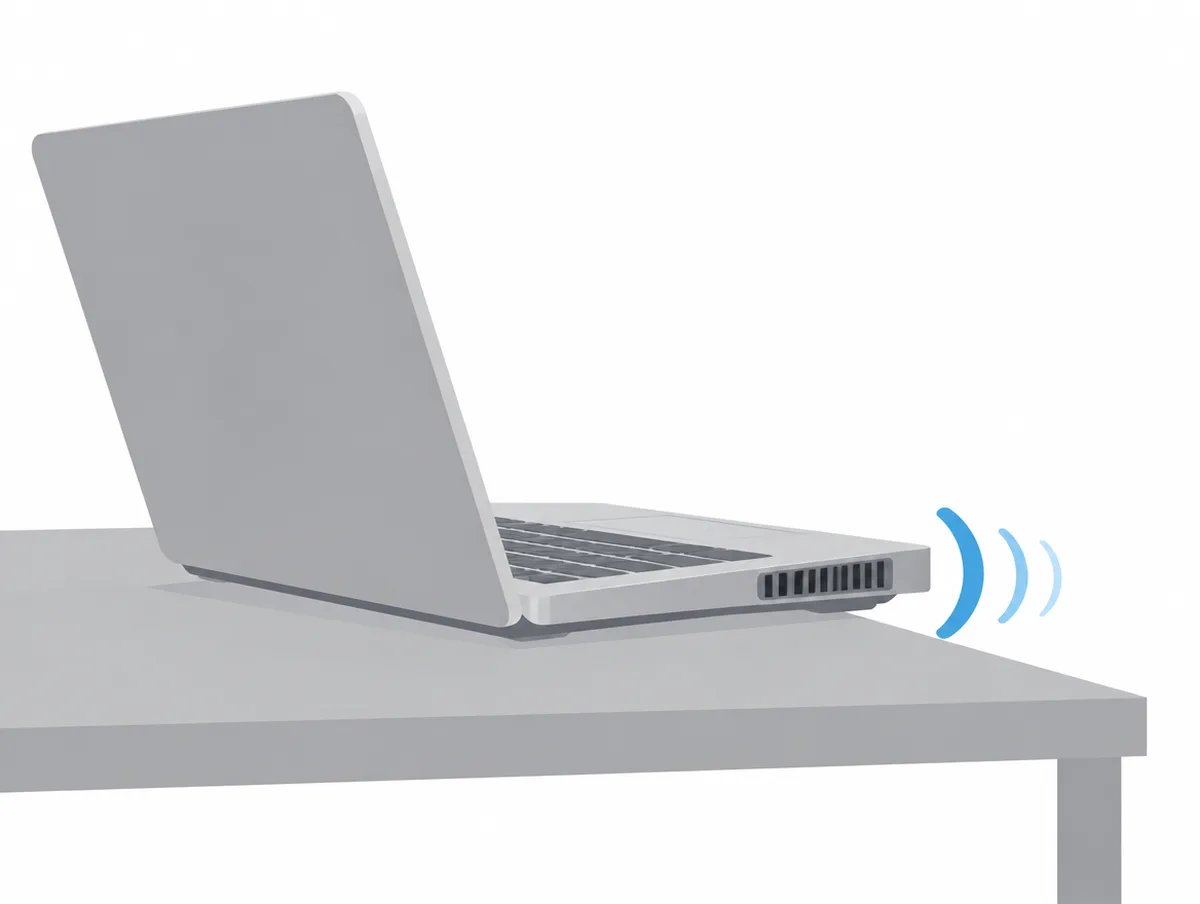
A laptop should sit on a hard, flat surface such as a desk, with nothing touching its vents. Apple, Dell, HP, Lenovo, Acer and ASUS all name beds, pillows, sofas or laps as places that block airflow.
HP's overheating page asks for "at least 15.25 cm (6 in) of clearance around each vent", and Acer warns against "another hard surface, such as an adjoining optional printer" blocking airflow. Room heat counts too: Apple's fan noise page says that in hot surroundings "the fans turn on sooner and run faster", and ASUS gives a range of 5°C to 35°C.
Can I clean my laptop fan myself?
Yes, through the vents. HP says the computer need not be opened to clean them, and Dell, Lenovo, ASUS and HP describe blowing dust out from the outside with the laptop off. Inside work is for service centers.
Dell and Lenovo use compressed air, Dell with the can upright "to avoid moisture buildup", and Dell rules out vacuums, which "can generate static electricity". HP contradicts itself: its fan noise page says to use a vacuum on the vents, while its overheating page says "Use canned air".
ASUS's fan FAQ warns against "powerful airflow devices such as an air compressor, as there have been cases where excessive air pressure damaged the fan blades." It wants cans held at a distance and never upside down, and points owners to its service center when dust has built up heat.
Acer's safety guide says "Do not attempt to service this product yourself, as opening or removing covers may expose you to dangerous voltage points or other risks." None of these makers gives owners steps for opening a laptop to clean or oil its fan, so this page offers none.
Do BIOS and driver updates make a laptop fan quieter?
Yes, sometimes. HP, Dell, Lenovo and ASUS all list a BIOS update among their fan noise fixes, and Lenovo says it helps when the BIOS or embedded controller thermal logic has a fault.
Lenovo's support article adds F9 in the BIOS afterwards to restore defaults. HP warns that "Installing the wrong BIOS could cause your computer to stop working", says not to restart until the update finishes, and lists an outdated graphics driver as a cause. Dell says a BIOS update "can improve hardware compatibility and thermal performance."
Do cooling pads make a laptop quieter?
No maker quoted here promises that a cooling pad lowers noise. Dell and ASUS recommend pads for airflow or to lift the laptop, but each pad adds fans of its own, rated from 21 dBA to around 70 dB.
Dell says "cooling pads enhance airflow and help reduce heat during prolonged use", and ASUS suggests "a cooling pad or stand to elevate the laptop". Neither puts a number on how much the laptop's own fan might slow down.
Cooler Master lists 21 dBA for the single-speed NotePal X-SLIM at 1400 RPM, llano puts its V12 Ultra near 27dB at low speed and near 70dB at its 2800 RPM top speed, and KLIM prints up to 60 dB for the Turbofrost MAX with a laptop on top. None names a distance; our cooling pad guide sorts them by what each maker claims.
Which laptop fan sounds mean it needs service?
A growling fan, a fan that will not spin, and a fan still loud at idle after these steps are the cases makers send to service. HP names the growl, and Dell and ASUS build in fan tests.
HP says "If a fan is making a loud growling noise or not moving, there is an issue with the fan." Dell's fan test runs from SupportAssist or the F12 boot menu, where Dell warns the fans "will likely go to high speed" because the processor runs flat out.
ASUS runs a fan check under System Diagnosis in MyASUS and sends faults to "an ASUS service center for replacement", listing "Fan slowing down due to prolonged usage and wear" as one cause of heat. Lenovo says a fan still fast after its checks means "hardware failure is possible." Our computer fan noises explainer matches individual sounds to causes.
How loud is a normal laptop fan?
A normal laptop fan, by makers' own declarations, comes to about 14 to 21 dB of sound pressure at idle and about 23 to 38 dB with the processor busy, for the laptops in the table below.
| Laptop | Idle | Busy | Busy mode as declared |
|---|---|---|---|
| HP EliteBook X G2i 14 | 14 dB | 26 dB | Active Mode, typically configured |
| Lenovo Legion 7i Gen 10 | 18 dB | 23.3 dB | Operating (CPU), operator position |
| Lenovo LOQ 15IRX10 | 20.6 dB | 34.5 dB | Operating (CPU), operator position |
| Lenovo Slim 7i Aura Edition 14 (Gen 11) | 17.9 dB | 37.5 dB | Operating (CPU), operator position |
| MSI Vector 16 HX AI | 27.5 dB sound power | 48.8 dB sound power | Operation Mode, run not stated |
HP's QuickSpecs name no listening position, while Lenovo's ECO declarations give the operator position. MSI prints sound power after Prime95 and FurMark runs, so its row cannot sit beside the others; our sound power and sound pressure primer explains why.
No maker declares a figure during a game, and ASUS's Whisper and Silent targets carry no distance. Our gaming laptop guide covers every gaming declaration we read.
When is a quieter laptop the better fix?
A quieter laptop is the better fix when the vents are clear, the firmware is current, and the fan is still loud in the quietest mode during your usual work. Some laptops are loud by design.
With the processor working, Lenovo's LOQ 15IRX10 is declared 11.2 dB louder at the seat than its Legion 7i Gen 10 (34.5 against 23.3 dB), and Apple's MacBook Air with M5 has no fan at all. Our quietest laptops, quietest laptops under $1,000 and quietest gaming laptops guides rank models by declared noise.
Where do these laptop fan steps come from?
Every step comes from the laptop makers' own documents, plus Microsoft for Windows power modes, NVIDIA for WhisperMode and AMD for Radeon Chill, all listed below. Decibel figures come from maker declarations cited in our laptop and cooling pad guides.
Acer's support answer on heat and fan noise sat behind a bot check we could not pass, and its Nitro V 15 manual does not name the operating modes, so the Acer section is thinner than the rest. We did not switch modes on, clean, update or listen to any laptop for this page; every mode name, temperature and figure above is the maker's.