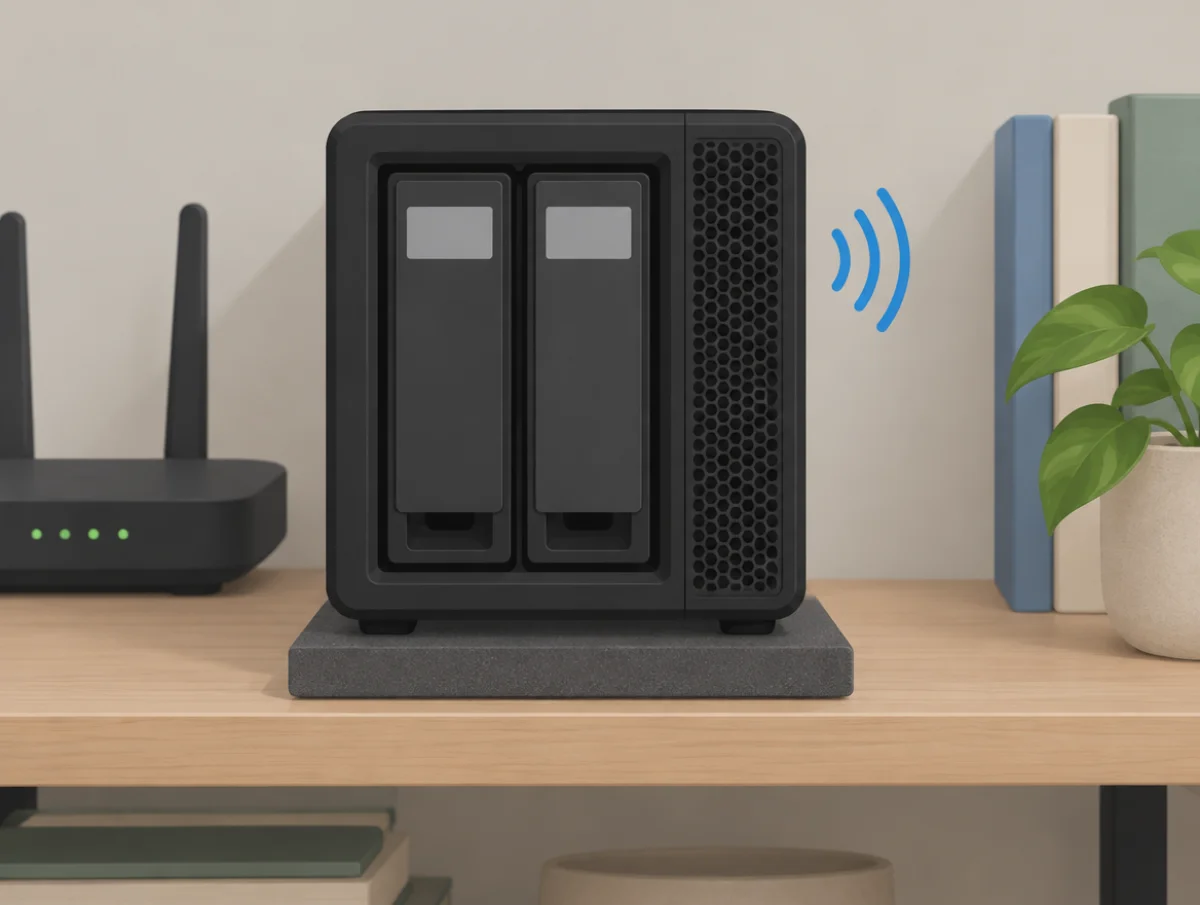
A home NAS makes noise from four places: one or two fans, the spinning hard drives, the trays and chassis those drives rattle against, and a buzzer that sounds when something goes wrong. All four can be turned down, and the settings for most of them sit in the same Hardware and Power screen on almost every brand.
This page gathers what the makers themselves publish: knowledge base articles and help pages from Synology, QNAP, Asustor and TerraMaster, two UGREEN articles from its NAS site, the TrueNAS documentation from iXsystems, and the Seagate IronWolf product manual. Drive sounds get one short section here, because the hard drive noises page already sorts normal clicks from failing ones.
Seven fixes, quickest first
- Switch the fan to its quietest mode.
- Move scrubs, drive tests and thumbnail jobs out of the hours you sleep.
- Let idle drives hibernate, or schedule the NAS to power off overnight.
- Find the reason for any beep before you mute it.
- Fasten drives to their trays with screws and stand the box on a rigid shelf.
- Take the NAS out of closed cabinets and away from your desk.
- When the drives are still the loudest part, choose quieter models or an SSD pool.
Find the noisy part first
Fan noise and drive noise call for different fixes, so it pays to know which one you hear. Synology's unusual noise article splits the sources into drives, the fan, "Vibration of the drives and drive trays" and others. Its test is to start the NAS with the bays empty. Silence points at the drives or their trays, while a sound that remains belongs to the fan or the unit.
UGREEN's noise guide tells them apart by character: "Fan noise is usually a steady rush of air rather than the clicks and hum produced by an HDD. It increases when the CPU, drives, or SSDs become warmer." A rush that swells during a long copy is the fan. Drives that go quiet and then keep spinning back up point to an app or task waking them.
Fan speed modes from five makers
All five desktop NAS brands below let you trade cooling for quiet in software. The names differ, and so does how much each maker explains.
| Maker | Where the setting is | Modes | Quietest choice |
|---|---|---|---|
| Synology | Fan Speed Mode, on the General tab of Hardware & Power in Control Panel | Full-Speed, Cool, Quiet, Low-Power on some models | Low-Power, else Quiet |
| QNAP | Control Panel, System, Hardware, Smart Fan | Quiet, Normal (default), Performance, or a manual slider | Quiet |
| UGREEN | Control Panel, Hardware & Power, General, Fan | Auto, Silent, Full Speed | Silent |
| Asustor | Settings, Hardware, Fan Control | Auto, Low speed, Medium speed, High speed | Low speed |
| TerraMaster | Control Panel, Hardware & Power, Fan | Intelligent speed control or full speed in the TOS 7 help; F series spec pages list Smart, High, Middle and Low speed | Low speed, going by the name |
Synology's fan speed article is the most specific about Low-Power: "when your Synology NAS has cooled down, the fan will stop to save power." Two limits come with it. Adding network interface cards disables some fan options, and on models with a separate power supply, the DSM help page notes that "the fans in the PSU are controlled by the PSU," out of reach of the setting.
QNAP's Quiet mode, in its QTS user guide, means "Fans run on low speed to decrease noise." The automatic modes "are only available for system fans," and some models let you set the system and CPU fans apart.
The cost is heat, and the makers admit it. Asustor's fan speed answer describes Low speed as "producing less noise. However, the temperature of the NAS may increase." UGREEN builds in a ceiling. Its operating system watches CPU, drive and SSD temperatures, and if the CPU reaches 80°C, a drive 55°C or an SSD 70°C, it warns and runs the fan at full speed, whatever mode you picked.
When Quiet Mode is still too loud
Look at dust and screws before the setting. Synology's first steps for a fan that still sounds wrong are to clean dust from inside the device and the fan, and to check that the fan screws are tight. Out of warranty, it sells replacement fans by model; inside warranty, a faulty fan goes back through the reseller.
QNAP has one model-specific case. On the TVS-hx74 series, an uncooled M.2 NVMe drive heats up enough to spin the CPU fan faster, so QNAP's TVS-hx74 answer asks for a heatsink on the SSD controller (two come in the box) and warns against running without the chassis cover, since its "cooling system is designed for an enclosed environment."
UGREEN's list is about the room: clear the intake and exhaust, leave space behind the rear exhaust, and move the NAS away from other heat sources and out of closed furniture.
Why is my NAS loud at night?
Often because a maintenance job is scheduled for night. Scrubs, drive tests, security scans and thumbnail generation all keep the drives seeking for minutes or hours, and on a quiet night that is easy to hear.
The defaults matter. TrueNAS creates a scrub task with every new pool, and its scrub tasks page sets it to run "every Sunday at 12:00 AM." The task can be edited to another day and hour, and a threshold in days stops it repeating too soon after a completed scrub.
On Synology, the data scrubbing help offers a frequency, such as monthly or every six months, and a Set Time Grid for the hours it may run. Only one storage pool is scrubbed at a time. Synology's hibernation article adds more jobs that wake a sleeping NAS whenever they fall due: scheduled S.M.A.R.T. and IronWolf Health tests, Security Advisor scans, space reclamation and automatic DSM update checks.
QNAP's Multimedia Console can generate thumbnails in real time, on a schedule, or only when you start it, under Thumbnail Generation, Schedule (QTS guide). A large photo library copied in during the evening will otherwise be processed straight away.
UGREEN's advice is to match the noise against each app's task history and shift optional jobs, with a firm limit: "Do not stop a RAID rebuild, disable drive-health monitoring, or cancel necessary data scrubbing simply to make the NAS quieter."
A brand new NAS can be busy for days. After the first TOS setup or a storage pool rebuild, TerraMaster's hardware and power help runs an array integrity check that "usually lasts 3 to 5 days, during which the disk will run continuously and will not enter hibernation."
Should NAS drives spin down?
Makers disagree. A drive in standby makes no spindle or seek sound, so hibernation is the biggest single cut in idle noise, but QNAP warns that frequent spin-ups wear drives and prefers a power schedule.
Synology's Drive Hibernation help frames it as good for the drives, which "stop spinning to reduce power consumption and help extend their lifespan." QNAP's standby article takes the opposite view of frequent cycling: "This poses a risk to disk health."
UGREEN lands between them. It calls twenty minutes of idle "a reasonable starting point for a lightly used home NAS" and warns against very short timers on a busy one, because every wake is another audible spin-up. If drives wake every few minutes, it says to find the task waking them instead of shortening the timer.
Where the setting lives:
- Synology: Control Panel, Hardware & Power, Drive Hibernation.
- QNAP: Control Panel, System, Hardware, General, Enable disk standby mode (not supported on some NVMe models).
- Asustor: Settings, Hardware, Energy Control, Disk Hibernation.
- TerraMaster: Control Panel, Hardware & Power, Disk Hibernation.
- UGREEN: Control Panel, Hardware & Power, Power, Drive Hibernation.
- TrueNAS: Storage, Disks, Edit Disk, HDD Standby, which defaults to Always On.
TrueNAS offers HDD Standby timers from 5 to 330 minutes and a separate Advanced Power Management level, Disabled by default, running from Level 1 with spindown to Level 254 for maximum performance. Its disks page adds that "Temperature monitoring is disabled for standby disks."
At the drive end, Seagate's IronWolf manual describes Standby as the state where "the heads are parked and the spindle is at rest," and rates IronWolf drives for 600,000 load/unload cycles. Each spin-down parks the heads once.
What keeps the drives awake?
Background services, mostly. Synology's hibernation article lists dozens, including QuickConnect, an SSD cache in use, thumbnail and indexing work, Cloud Sync, Container Manager and Plex Media Server.
QNAP's standby article covers the same ground for QTS, naming SMB file sharing, folders mapped on computers, Container Station, Download Station and Virtualization Station, and adds that uploads trigger indexing and media thumbnails while the drives stay active. Its Helpdesk app has an HDD Standby Test. Asustor's ADM help offers a Diagnostic Tool that shows "which services and applications are still accessing the hard disk," and names three Asustor desktop utilities, Control Center, Backup Plan and Download Assistant, as possible culprits.
Power schedules as the alternative
Switching the whole NAS off for the night ends fan and drive noise together. Synology suggests scheduled shutdowns and startups for owners still bothered at idle, QNAP's power settings can shut down, restart or turn on the NAS at set times under Control Panel, System, Power, Power Schedule, and TerraMaster offers a daily or weekly Power-On/Off Schedule. On QNAP, turning EuP mode on disables the power schedule.
Why does my NAS click when nothing is copying?
Usually a background task or the drives' own housekeeping. Seagate's IronWolf manual says idle drives may run offline activity that "may increase acoustic and power to operational levels."
So a drive can sound busy with no file transfer anywhere. Head parking, seek chatter and the clicks worth worrying about are covered sound by sound in hard drive making noise. Tracing the job behind it is a NAS question, answered by the hibernation lists above.
Trays, screws and the shelf
Rattles and hum often come from the mounting, not the drive. For trays that vibrate, Synology suggests "replacing the fastening panels with screws to reduce the noise," and a different drive if the drive itself is the source.
UGREEN gives a short sequence for testing the mounting. Shut the NAS down first, then:
- check that every drive tray is fully inserted and locked;
- make sure drive screws or mounting points are tight "without overtightening them";
- "Add rubber or silicone isolation feet beneath the complete enclosure";
- repeat the same workload, such as copying one large folder, and compare.
Placement does the rest. UGREEN recommends a rigid, open-backed shelf with room behind the exhaust and warns against carpet or the floor, where lower vents get blocked and dust gathers. A cabinet with a door is the trap: "A closed cabinet may sound quieter initially, but trapped heat forces the cooling fan to work harder." Distance is free, too. Moving the box from a desk to a shelf across the room lowers what reaches you, and in UGREEN's view can beat small tray modifications.
Seagate's drive specifications assume "the drive is mounted securely," with vibration applied at the drive mounting screws. Desk and shelf resonance are covered on the hard drive noises page.
Will quieter drives or an SSD cache help?
Quieter drives, yes, and the exact model number matters more than the product line. An SSD cache is a different matter, since makers describe ways it can keep a NAS louder.
Two 12TB WD Red Plus drives show the spread. On WD's data sheet, as set out in our WD hard drive decibels guide, the WD120EFBX rates 20 dBA idle and 29 seek, while the WD120EFGX rates 34 and 39. Seagate's IronWolf manual gives sound power instead: 2.3 bels typical at idle for the 2TB, 3TB and 4TB models and 2.5 for the 6TB and 8TB. The two makers use different units, so compare drives within one maker, as the quietest hard drives guide does.
An all SSD storage pool goes further. UGREEN says swapping a hard drive pool for compatible SSDs "removes mechanical drive noise, although the NAS cooling fan and power electronics remain audible."
A cache is not the same thing. "SSD cache is not a guaranteed noise fix," in UGREEN's guide, because cache misses and data held only on the hard drive pool still wake the drives. Synology's SSD cache help explains why many reads skip it, since a cache by default "only accelerates random I/O and does not accelerate sequential I/O," and large sequential jobs like HD video streaming gain little. Synology also lists an SSD cache in use among the things that stop hibernation, as Resource Monitor keeps recording its hit rate. QNAP's TVS-hx74 case above shows the other risk: a hot M.2 drive can raise the CPU fan.
How do I stop my NAS beeping?
Read the alert, deal with it, and only then mute. A repeating beep almost always means a degraded volume, a failed drive or a fan fault, and all five NAS brands here put a buzzer switch in their hardware settings.
| Maker | What the beep means | Where to mute or change it |
|---|---|---|
| Synology | Degraded or crashed volume, abnormal SSD cache, or a failing cooling fan | Control Panel, Hardware & Power, General, Beep Control, Mute |
| QNAP | Start, shutdown and firmware updates, plus errors and warnings | Control Panel, System, Hardware, Audio Alert |
| Asustor | One beep at boot or shutdown; most often a failed RAID member drive | Settings, Hardware, System, Buzzer |
| UGREEN | One beep every three seconds for a drive error, every two seconds for a system error | Control Panel, Hardware & Power, General, Buzzer |
| TerraMaster | Startup, shutdown or hardware faults, depending on the trigger set | Control Panel, Hardware & Power, Buzzer |
Synology's beeping article starts with Notifications and the "Reason for current beep" line in Beep Control. If the Mute button is turned off, the fix offered is a reboot and a second try. QNAP's audio alert settings split routine sounds from warnings, so you can silence the beep at every start and shutdown while keeping the one for errors.
UGREEN's beep code article treats one short beep at power on as normal and asks owners to re-enable the buzzer once the NAS is healthy again. Muting, it says, "does not clear the notification, restore a degraded storage pool, repair a drive, or resolve a system error." Asustor's beeper answer names the degraded volume as the usual cause.
Check the source as well. A battery backup beside the NAS can beep too, and that alarm is covered in UPS noises explained.
When the noise means a fault
Grinding, scraping, repeated knocking or a drive that drops out need a backup and a drive check before any quieting work. UGREEN puts it as a stop sign: confirm the backup, then check the drive, before adding dampening or changing cooling settings.
A fan that grinds, rattles, stops now and then or does not speed up as the box warms goes to UGREEN support. Asustor asks owners with a fan speed or abnormal noise problem to contact its technical support. Synology sends an in-warranty unit with a faulty fan, or a noise nobody can trace, back to the reseller for RMA service. The hard drive noises page covers what Seagate and WD say about grinding drives.
How loud should a NAS be?
Quieter than most people expect at idle, louder at work. Synology's current DiskStation figures run 14.6 to 25 dB(A) idle and TerraMaster's desktop models 19.0 to 27.4 dB(A), all measured resting.
None of those numbers covers a scrub, a rebuild or a spin-up. The Synology NAS decibels and TerraMaster NAS decibels pages explain what was in the bays for each test, and the decibel chart puts the range beside everyday sounds. QNAP's spec pages print no figure at all.
More on quiet storage and home servers
For a new box, the quietest NAS guide compares the makers' published figures and how fully each one describes its test. A NAS often shares a room with other always-on hardware: the quietest home servers, the quietest UPS battery backups, and the planning notes in a quiet home office. If a desktop tower hums next to the NAS, see how to make PC fans quieter.
The steps on this page come from Synology, QNAP, Asustor and TerraMaster support pages and help, two UGREEN articles on its NAS site, the TrueNAS documentation and the Seagate IronWolf manual, all read on November 16, 2026. TrueNAS appears only for drive standby and scrubs, because the pages read cover no fan setting. Western Digital appears through its Red Plus data sheet figures in our WD guide. None of the settings, schedules or mounting changes here was tried on a NAS of ours.