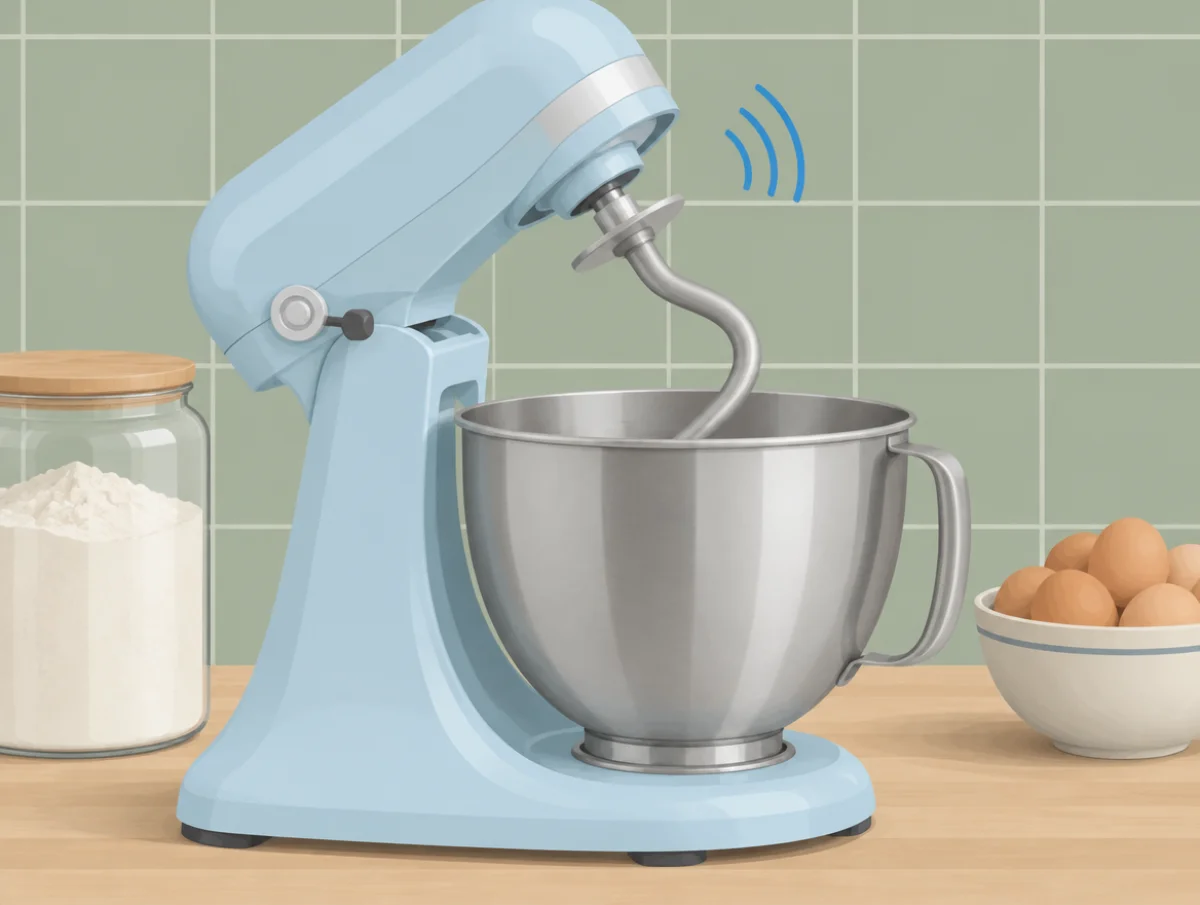
Stand mixer noise has three usual sources: the beater meeting the bowl, a batch heavier than the motor likes, and gears that have begun to wear. The first takes a coin and a few minutes to fix. The second goes away when you split the dough or slow down. The third belongs to a repair shop, and the makers say so without hedging: stop mixing.
The makers' own words below come from KitchenAid's US troubleshooting guide, dated July 31, 2026, and one of its UK help articles; owner's manuals for the Bosch Universal Plus MUM6N10UC, Breville Bakery Chef BEM825, Kenwood Chef KVC50 and Chef XL KVL60, Cuisinart's SM-50 series (the Canadian booklet) and the Hamilton Beach 63380; and two Kenwood help pages. All were read on November 16, 2026. Smeg and Ankarsrum are absent because Smeg's US product pages returned errors and Ankarsrum's manual would not download. KitchenAid's PDF owner's manuals refused automated downloads as well.
| Sound | Cause a maker names | First step |
|---|---|---|
| Light tapping with stiff mixtures | Ingredients meeting the bowl (KitchenAid) | Check bowl lock and beater fit |
| Click or knock on the bowl floor | Beater set too low (KitchenAid, Kenwood) | Dime test, then adjust height |
| Rattle | Unlocked bowl, loose or mismatched beater (KitchenAid) | Reseat bowl and accessory |
| Head bouncing or knocking | Loose neck pin, tilt-head models (KitchenAid) | Tighten the pin's screw |
| Loud scrape in an empty bowl | Scraper beater run dry (Breville) | Add ingredients first |
| Grinding or metal on metal that lasts | Internal wear or a loose part (KitchenAid) | Stop and contact support |
| Motor runs, beater stays still | Accessory not on the pin, or a damaged gear (KitchenAid) | Refit; then support |
| Slow, laboring motor | Too much dough (Kenwood, Breville, Cuisinart) | Remove half and knead twice |
| Warm smell | Long session or heavy batch (KitchenAid) | Switch off and let it rest |
| Stops dead, may beep | Overload or thermal cutoff (all six) | Unplug, lighten, wait |
Which stand mixer sounds are normal?
Light tapping as a dense mixture hits the bowl, slight vibration, a small up-and-down movement of a tilt head with heavy dough, and a soft scraping from flexible-edge beaters are all expected. So is a motor head that feels warm after long kneading.
Heavier mixtures such as mashed potatoes or stiff doughs "may lead to occasional tapping or shifting sounds during mixing," according to KitchenAid's troubleshooting guide, and "Some slight vibration during use is normal." Breville writes the same kind of reassurance into its Bakery Chef manual. With food in the bowl, its scraper beater "may make a slight noise as it scrapes the sides and bottom of the bowl. This is normal and should not cause concern."
What separates a normal sound from a warning is repetition. KitchenAid puts it in one line: "A one-time click during a dense batch is different from repeated grinding, burning smells during light use or movement that seems to get worse over time."
How loud is a healthy mixer? Nobody here will say. Kenwood's noise FAQ claims its Chef machines "can be quieter than comparable appliances from our competitors," then concedes that the high-speed outlet for blenders and processors makes them run faster, so they "may appear marginally louder." No decibel figure appears in any of the six makers' documents behind this page.
Clicking and knocking start at the bowl
A click or knock that keeps time with the beater usually means the beater is striking the bowl floor, the bowl is not locked, or the accessory is not fully on its shaft. Check all three with the mixer switched off and unplugged.
The accessory comes first because it is quickest. Push the beater, whisk or hook as far up the shaft as it goes and turn it until it hooks over the pin. On a tilt-head KitchenAid the bowl twists onto the base plate until it locks; on a bowl-lift model both sides sit on the arms and the back is pressed down until it snaps. "The bowl may look level before it is fully locked, so listen for the snap before mixing," the guide advises.
The dime test and the height screw
KitchenAid's check needs one coin. Put a dime in the empty bowl, fit the flat beater and run the mixer. If the dime stays put, the beater rides too high. If it gets dragged round and round, the beater rides too low. Correctly set, each pass shoves the coin "about a quarter inch."
Height drifts. KitchenAid's UK help page says the factory setting can change "through time, shipping and use," and that a beater set too low "can hit the bottom of the bowl and the white coating can chip off the bottom of your beater." On a tilt-head the screw sits in the hinge: counterclockwise raises the beater, clockwise lowers it, and it will not turn more than a quarter turn either way. Go too far down and "the bowl lock lever may not lock into place." Bowl-lift models keep the screw elsewhere, so follow the manual for yours.
Kenwood does the same job with a spanner, 15 mm on the Chef KVC50 and 19 mm on the Chef XL KVL60. Its instructions have you loosen the nut on the tool, turn the shaft anticlockwise to lower it or clockwise to raise it, and retighten. The target is a whisk and K-beater "almost touching the bottom of the bowl," and the troubleshooting table names a tool that "knocks against the bottom of the bowl" as one at the wrong height. The dough hook is set at the factory and needs no adjustment.
Sides are off limits. A Kenwood help article says the K-beater "should never touch the sides," since contact could damage both bowl and tool.
Why does my stand mixer make a grinding noise?
Grinding that continues after the bowl and accessory are secured suggests internal wear or a loose component, and KitchenAid's instruction is to stop using the mixer and contact support if it persists or worsens.
Something dropped into the bowl is a common start. A measuring spoon or the attachment hub cover falling in while the beater turns can damage an internal gear, and a mixer whose motor runs while the beater stands still after that needs repair. Bosch warns about a related fault on the Universal Plus. Starting the motor before the bowl is properly seated on the drive coupling "can result in damage to the bowl and/or coupling."
Grinding with oil is a service job too. KitchenAid packs its mixers with solid food-grade grease, and a few drops of separated oil after storage are harmless. A mixer that loses a lot of oil, or begins grinding or sounding unusual alongside the leak, goes to an authorized servicer, who may repack the grease and replace seals. Adding oil yourself is not part of KitchenAid's routine.
A straining motor usually means too much dough
A motor that slows and labors through bread dough is working near its limit. Kenwood's remedy is to switch off, take out half the dough and knead each half separately; KitchenAid's is the dough hook at Speed 2 and a smaller batch.
Every maker that prints a limit prints a different one, measured a different way:
| Mixer | Kneading speed | Yeast dough limit |
|---|---|---|
| KitchenAid | Speed 2 with the dough hook, unless the owner's manual says otherwise | Not given in the guide |
| Kenwood Chef KVC50 | Min for 45 to 60 seconds, then speed 1 for about 3 to 4 minutes | 1.36 kg (3 lb) of flour for stiff bread dough |
| Kenwood Chef XL KVL60 | Same as the Chef | 1.6 kg (3 lb 8 oz) of flour |
| Cuisinart SM-50 series | Speeds 3 and 4 listed for bread dough | 6 cups of white flour |
| Bosch MUM6N10UC | Speed 1 to combine, then 2 or 3 for 6 to 8 minutes | Three times the basic recipe, ten 1 lb loaves |
Bosch rates the Universal Plus to handle up to 12 to 14 lb of dough, a total weight, where Kenwood and Cuisinart count flour. Breville gives no flour ceiling for the Bakery Chef but limits running time instead: "Do not operate the appliance continuously on heavy loads for more than 3 minutes."
Speed is where the makers disagree. KitchenAid warns that higher speeds with yeast dough "may damage the stand mixer," and that kneading above Speed 2 can let the weight of the dough unlock the bowl. Hamilton Beach's 63380 guide goes the other way for thick cookie dough on the flat beater: "If Mixer seems to struggle, increase speed setting." The two advise different machines on different mixtures, so the manual for your own mixer wins. Hamilton Beach adds that flour should go in one cup at a time.
One stall is not a load problem at all. KitchenAid notes that steam from a hot mixture can condense inside and "interrupt the electrical flow," shutting the motor off for a few minutes until it clears.
Squeaks, rattles and a hum with nothing turning
Most squeaks and rattles come from parts touching that should not, or parts that have worked loose. A hum with a motionless beater means the accessory has missed the drive pin, or something inside has failed.
Breville describes the loudest self-inflicted sound. Switch the Bakery Chef on with the scraper beater fitted and nothing in the bowl and it "will cause the scraper beater to make a loud noise as it scrapes the bowl." Add the ingredients first.
Rattles have a short list of causes. KitchenAid names "An unlocked mixing bowl, loose flat beater or mismatched accessory," and for a tilt-head whose motor head bounces, a neck pin that has slid out of place. With the mixer on its side, the pin is pushed back and its screw tightened, on some models with a 1/8-inch hex key.
Then the counter. Bosch wants the Universal Plus on a sturdy, smooth, clean surface with no flour or oil on it, which "will provide the best footing for the suction cup feet on the power unit and will limit slipping and/or 'walking'." Breville warns that "vibration during use may cause the appliance to move" and asks for a level surface away from the edge.
A motor that runs while the beater does not is mostly a fitting problem. KitchenAid's fix is to unplug, push the accessory up as far as it goes and turn it until it hooks over the pin. If it still does not turn, stop and call support. None of the six makers explains a squeak from inside the motor head, so treat one that lasts like any other persistent new sound.
Hot smells and a warm motor head
A warm head and a faint warm smell after long kneading are expected by KitchenAid and Breville. A smell during light work, or one that comes back after the mixer has cooled, is KitchenAid's cue to stop and contact support.
"Under heavier loads or extended mixing time, the motor head may become warm," Breville's manual reads. "This is normal and should not cause concern." KitchenAid agrees that the head may feel warm after several batches of pasta or bread dough, and it ties the dough hook at Speed 2 to protecting the motor.
When the smell appears, switch off and let the mixer rest, then check the batch size, the accessory and the speed. Cuisinart's warranty for the SM-50 series excludes "damage caused by overheating," which makes the capacity chart in its booklet worth reading before a big bake.
Why a stand mixer stops on its own
Overload and thermal cutoffs switch the motor off before it is damaged. Turn the control off, unplug, take some ingredients out and give it the rest period your maker sets, which ranges from 5 minutes to about 30.
| Mixer | What trips it | Rest before restarting |
|---|---|---|
| KitchenAid, select models | Overheating or overload | A short pause; about 30 minutes if it will not restart |
| Bosch MUM6N10UC | Safety cutout against overheating | 15 minutes |
| Breville BEM825 | E1 for a stalled or overloaded motor, E2 for overheating; both beep 3 times | Remove ingredients for E1; at least 15 minutes for E2 |
| Kenwood Chef KVC50, KVL60 | Overload or overheat; standby light flashing rapidly | 15 minutes, after reducing the load |
| Cuisinart SM-50 series | Overload protection device | A few minutes, longer if it will not start |
| Hamilton Beach 63380 | Motor stall or a caught spoon | 5 minutes after clearing or lightening the bowl |
Kenwood's fallback is a call to "customer care" if the machine still will not restart after that sequence. Breville's E2 device resets itself. Lifting the Bakery Chef's head while the motor runs also stops it, by design.
Hamilton Beach prints a warning that belongs with every cutout. "In order to avoid a hazard due to inadvertent resetting of the thermal cut-out," the 63380 must not be powered through a timer or any circuit that switches on and off by itself.
How to keep a stand mixer quieter
Set the beater height, lock the bowl, knead at the speed your manual names, stay under its flour limit and run the machine on a clean, firm, level counter. No maker in this group sells a quieting accessory or measures what any of these steps saves.
- Run the dime test after delivery, and again if mixing changes.
- Knead yeast dough at the manual's speed: Speed 2 on a KitchenAid, speed 1 on a Kenwood Chef.
- Split big batches rather than letting the motor labor.
- Add flour gradually to thick doughs.
- Never start a scraper beater in an empty bowl.
- Keep the counter dry and free of flour so the feet grip.
- Store a KitchenAid upright and run it once a month to keep its grease spread.
For a KitchenAid that has sat unused for a while, the guide suggests a two-minute empty run at Speed 10 before baking, with the pouring shield fitted to catch oil, then wiping it down.
When to stop using the mixer
Stop when a grind, knock or metal-on-metal sound survives the setup checks, when a burning smell comes with light work, when power keeps cutting out, or when the beater shaft no longer turns.
That list is KitchenAid's, which adds a damaged power cord and head movement that keeps getting worse. Its advice before calling is useful anywhere: note the model and serial numbers, and whether the sound comes under load, at every speed or only with one attachment. Cuisinart's safeguards say any mixer that malfunctions, is dropped or is damaged goes back to an authorized service facility before further use.
Where to go next
For the other loud machine on the counter, how to make a blender quieter covers jars, drive sockets and maker shields, and the quietest blenders ranking sorts the few published figures. Kitchen neighbors of the mixer have their own pages: air fryer noises and coffee maker noises. Where cooking and living share one room, the open-plan kitchen guide deals with layout, and the decibel chart puts everyday appliance levels side by side.