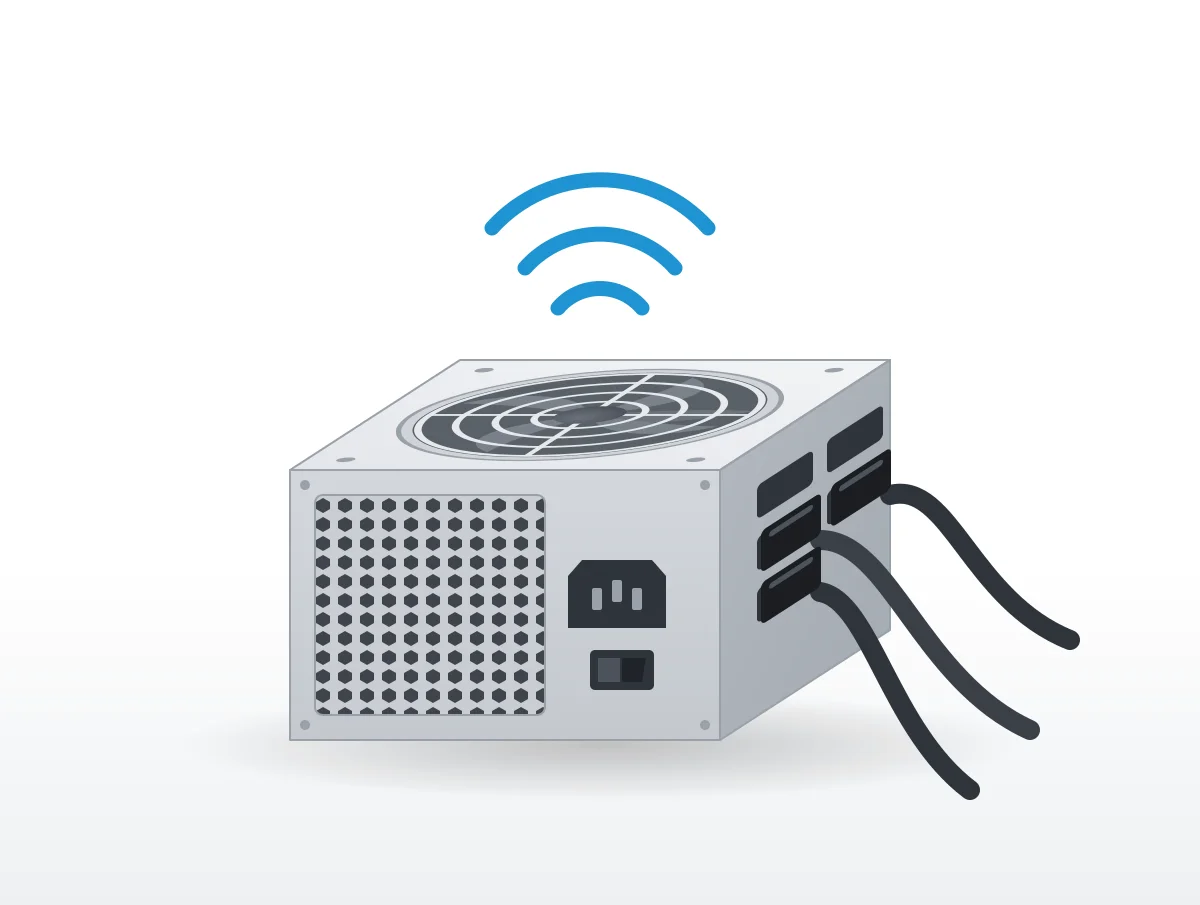
That click when you press the power button is a part called an inrush-current limiter, and be quiet! answers the question of whether it is normal with "Yes, that is completely normal." Most power supply sounds are like that. A thin whine while the graphics card works hard, or a fan that sits still at idle and spins up later, both appear in the makers' own pages as things the unit is designed to do.
The list of sounds that should send you to the maker is shorter: a fan that grinds or will not turn when the unit is hot, a buzz that Dell links to electrical trouble, and a smell that does not fade. be quiet!, Corsair, Seasonic, EVGA, Cooler Master, MSI, ASUS and Thermaltake cover these between their support pages and manuals, and each quote below keeps the conditions its maker attached.
For the whole PC, from case fans to liquid cooler pumps, see computer fan noises. This page stays with the power supply alone.
Coils, a transformer and a fan all make normal sounds
All three parts hum, whine or whir in ordinary use. Power supplies "all generate" coil noise, in Corsair's words, and current noise is usually hidden by the other fans in the case, according to Cooler Master.
The physics is short. When current through an inductor changes, "the magnetic field around the inductor also changes," causing "a small attraction/repulsion action in the coils," as Corsair's help center puts it. Builders fight back with padding, and power supplies "often have sound dampening material meant to reduce this noise."
Timing explains why you notice it at odd moments. Cooler Master's FAQ observes that "during idle mode when other components are off, current noise can be noticeable and annoying." During a game the same sound is "usually drowned out by other components and fans spinning."
Why does my power supply click when the PC turns on or off?
High-powered units draw a surge at switch-on. The be quiet! FAQ explains that "they generate an inrush of current, which can amount to several times the nominal rating of the device," enough to trip the breaker on the wall circuit the PC shares. A limiter stops that, and the click is the limiter engaging as the PC starts and letting go as it stops.
Nobody else describes the click.
There is also no rule anywhere for repeated clicking while the PC runs. be quiet! ties the normal click to the moments of power-on and power-off and nothing else.
Why is my power supply whining?
A high, thin whine is coil whine: coils vibrating as the current through them changes. Corsair and MSI both name power supplies as a source.
It shows up "when the PC is under a specific load, such as resource-intensive video games or intensive tasks," according to Corsair's coil whine article, and "It can also be heard when the PC is idle but certain components are still working." The help center is blunter: "Coil whine is not exactly a defect, but rather a byproduct of the components working as intended."
MSI's coil whine page was written for its notebooks, but it widens the net, saying coil whine "can occur on any electronic device that uses coils or inductors, including desktop graphics cards, power supplies, and other manufacturers' notebooks." The sound is easier to pick out "in quiet environments where background noise does not mask the sound."
Whine rarely means a failing unit
Corsair holds that coil whine "does not affect performance or reliability". There are two rare exceptions, in its exact wording: "in rare cases it can be a sign of a problem, such as a poorly connected cable or a badly worn electromagnetic coils (which could occur after several years of use)."
Those two are not equal. A loose cable is something you can check with the PC off and unplugged, but worn coils sit inside a case that every maker forbids you to open, so that one goes to support.
Whine is mostly dealt with at the factory
There is no sure fix. Makers reduce current noise before the unit ships, Cooler Master says, and none of their methods "completely solve the noise problem". Corsair's only remedy is a joke about aging ears.
Cooler Master names the three factory methods: longer varnish dipping of the transformer, glue in the gap of its middle pillar, and changes to how the copper windings are twined. All of them happen before the case is sealed. For whine at idle during the day, its suggestion is that the problem "could be easily remedied by simply shutting down your computer when it's not in use", and it admits many owners will not accept that answer.
Sometimes the singer is the graphics card. A frame rate cap is the fix NZXT puts first for that, as our quieter PC fans guide explains, so take the side panel off and listen near each part before blaming the power supply.
A buzz or hum is where the makers disagree
Cooler Master treats a low buzz from the transformer as normal current noise at idle. Dell is more cautious. "Humming or buzzing sounds could indicate electrical issues within the power supply," reads Dell's noise guide, and HP says a noisy desktop power supply that is clean of dust "might need to be replaced", through HP support.
None of them gives a volume or a pitch where normal ends and a fault begins. A buzz that is new, that grows over weeks, or that arrives with a smell or sudden shutdowns is the kind all of them would want reported.
Why does my power supply fan not spin?
Usually because the unit has a fan-stop mode and the load is light. Seasonic, Corsair, EVGA, MSI, ASUS and Thermaltake all sell power supplies whose fan stays off until load or temperature rises, under names such as Zero RPM, 0dB and ECO, and they set the start point in different places:
| Maker | Name of the mode | When the fan starts, in the maker's words |
|---|---|---|
| Thermaltake (Toughpower GF A3 650W) | Smart Zero Fan | "until the load exceeds 30% of the power supply" |
| Thermaltake (Toughpower GT 1000W, 1200W) | Smart Zero Fan | "approximately 40% of rated load" |
| MSI (MPG A1000G and others) | 0 RPM mode | stops the fan "when TDP is below 40%" |
| Seasonic | Hybrid fan control | "anywhere from 20% up to 50% load, depending on the model" |
| EVGA (SuperNOVA P6) | ECO Thermal Control | "based on the loading the power supply reaches" |
| Corsair | Zero RPM | "when your PC reaches a certain temperature" |
Thermaltake alone gives two thresholds in two manuals, so check the one for your exact model. Its GF A3 650W manual states the result without fuss: "It is normal if the fan does not operate when the computer is at a low working load."
Heat can start the fan before load does. On Seasonic's hybrid fan control page, "if the temperature gets too high, the fan can turn on even earlier, even at lower loads." Once running, a Corsair fan "starts at a low RPM that gradually increases with the temperature," per its zero RPM page. Corsair also keeps a list of its Zero RPM units, from the RM650x and RM850e to the SF1000L and AX1600i.
When a still fan is a fault
One older be quiet! answer treats any still fan as a problem: "All of our PSUs are active power supplies. That means that the PSU fan spins all the time." Its newer Pure Power 13 M and Power Zone 2 do stop their fans at low load, as our be quiet! power supply page records, so that answer only fits the fan-always-on units.
For a fan that should be turning and is not, "sometimes it helps to prod the blades of a stuck fan (use a pencil or similar, not your finger)." If it still "refuses to budge", the internal fan regulator may be faulty and be quiet! wants its service staff contacted. Crashes from overheating trace back to the over temperature protection, and the cure there is "a gap of at least 20cm" behind the PC.
A switch keeps the fan running all the time
Most units with a fan-stop mode have a rear switch or button to turn it off. MSI, ASUS, Seasonic, EVGA and Thermaltake all describe one; Corsair's i-series units do it in iCUE software instead.
On MSI units, "0 RPM Mode is on by default. Press the button to turn it off." Pressing the ASUS 0dB Fan Button turns the mode off, "allowing the PSU fan spin at all times". ASUS adds a catch for units without that button: there you "can't disable" it, since the fan will "auto run or shut off sync with Power supply loading."
Seasonic spells out its switch: "Switch not pressed = Hybrid Mode ON (fan stops spinning at low load). Switch pressed = Hybrid Mode OFF (fan always spins)." With ECO disabled on the SuperNOVA P6, "the fan will always spin, even at low loads."
Why leave the mode on at all? It "reduces ambient noise levels and will increase the life span of the fan," EVGA argues, and Seasonic makes the same case for its S3FC control, listing "Extending fan life by eliminating unnecessary rotations" among the benefits. The price is a fan that starts and stops, which some owners notice more than a steady low hum. Neither setting is called safer for the hardware by any maker.
Why does my power supply fan keep running after shutdown?
A BIOS setting called ErP, which cuts power use while the PC is off, is Corsair's fix; with it enabled, the fan "should cease spinning post-shutdown."
Look in the BIOS power management section for "ErP Ready," "ErP Support," or "EuP Lot 6" and set it to "Enabled," following the Corsair help page. If the fan keeps going after that, contact Corsair support.
Some power stays in the unit by design. The Dark Power Pro 12 holds "a 5V standby voltage, even if the toggle switch is set to 0", which spares its capacitors and coils the wear of repeated inrush current. Whether a whine heard with the PC off comes from that standby supply is something no maker addresses, so treat any such link as a guess.
Opening the unit to fix a fan is off limits
be quiet!, EVGA, Thermaltake and HP all tell owners to keep a power supply closed, citing high voltage, electric shock, fire risk or the warranty. A noisy fan inside one goes back to the maker.
The be quiet! promise is that its fan keeps its "discreetly quiet performance for the whole of its warranty period," and owners of a noisy one go to its service staff. After the warranty it will not sell a replacement fan, and it cannot support "any actions that would call for you to break open the power supply."
The others are just as firm. "This unit has no user-serviceable parts inside. Opening the casing presents a risk of electrocution and will void the product's warranty," reads the EVGA manual. "High voltages exist in the power supply," Thermaltake's manual warns, limiting the job to "an authorized service technician or electrician." HP gives "fire and electrical shock" as its reasons.
Smells, hot still fans and buzzing go back to the maker
Add any whine you are unsure of and that is the full list of reasons to contact support. Nobody gives a decibel limit.
Smell first. "It`s normal for new Transformers to release some harmless odors from the varnish impregnation used in the coils for a week or two after energization," says Corsair, and older ones can smell when loaded "to a higher level than they have experienced previously". Past that, open a support ticket.
Dell's line on buzzing and HP's on replacement point to the same step, which is to stop guessing and ask the maker. Cables are worth a look before that. Crashes, or a PC that will not start after a new unit goes in, often come from a tripped protection circuit, and be quiet! says the cause is frequently "use of the wrong cable", so make sure every modular cable came with that exact power supply. Thermaltake's manual is sharper still: "Third-party cables might not be compatible and could cause serious damage to your system and power supply."
No page we found names a sound that means unplug the PC at once. When in doubt, stop and ask.
How quiet can a power supply be?
Very quiet at light load. be quiet! prints 7.5 dB(A) at 10% and 20% load for its Pure Power 13 M 550W, and 6.5 dB(A) at 50% load for the 750W, 850W and 1000W Power Zone 2 units.
Those rows are in our be quiet! power supply decibel ratings, where the 50% load rows span 6.5 to 14.8 dB(A). be quiet! measures at one meter, and its tables do not say which fan mode produced each row.
At full load, our quietest power supplies guide sets the Pure Power 13 M 550W's 14 dB(A) beside 16 for the Dark Power 14 850W. The same guide covers Seasonic's PRIME Fanless TX-700, graded Cybenetics A++, a grade that sits below 15 dB(A) on the Cybenetics scale. Even a unit with no fan can make the coil and transformer sounds described above.
Few makers print a number at all. Corsair, ASUS, FSP and Seasonic mostly publish a Cybenetics letter grade instead, so read the dBA explainer and comparing decibel ratings before setting one brand against another.
More on a quieter PC
For a new power supply, start with the quietest power supplies and the be quiet! decibel ratings. For the rest of the build, see the quietest PC cases and quietest PC fans guides.
If the noise comes from elsewhere in the case, computer fan noises covers fans, pumps and drives, and how to make PC fans quieter covers fan curves and frame caps. For the room around the PC, see the quiet home office.
The be quiet! FAQ and Seasonic's hybrid fan page refused automated reading, so their quotes come from Internet Archive copies dated 2026-10-02 and 2025-09-06.