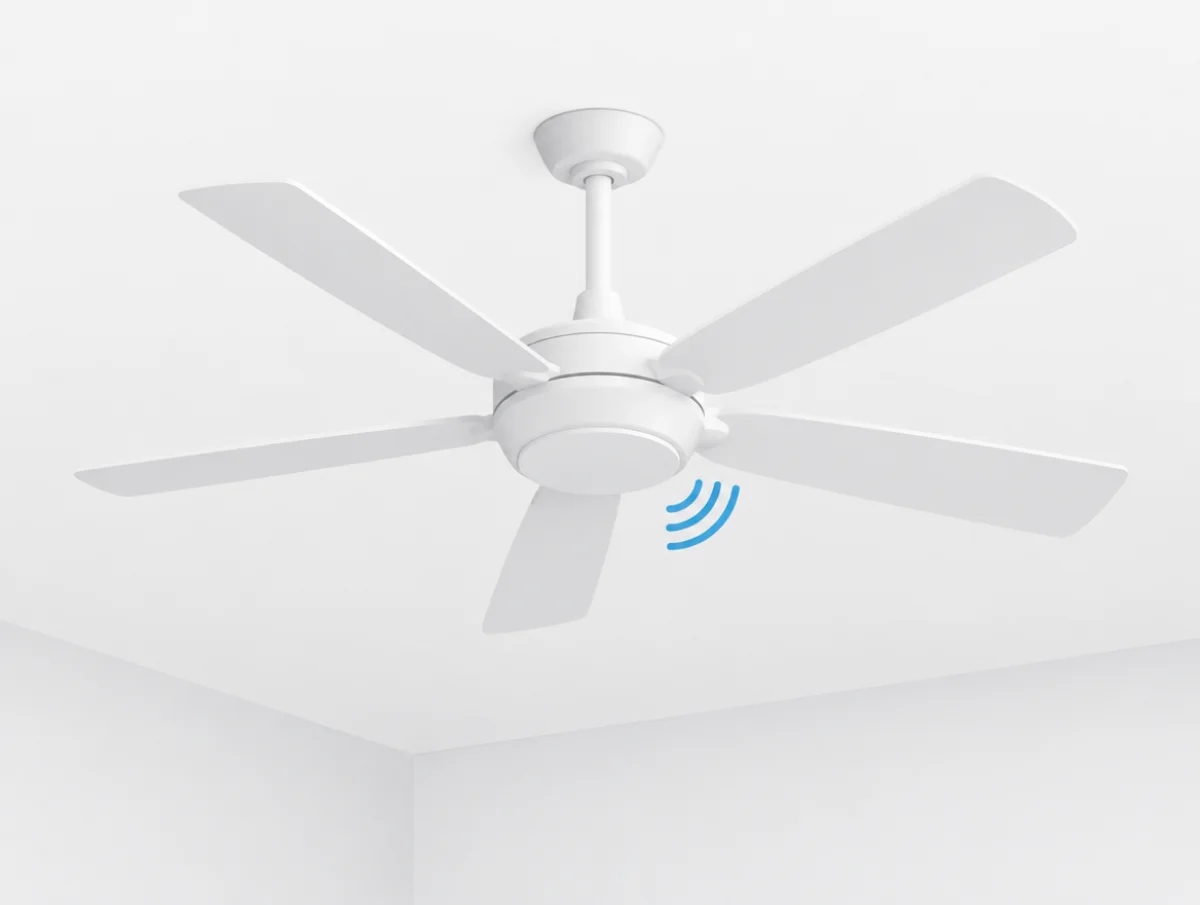
Every ceiling fan hums a little, and the makers admit it. "All ceiling fans produce a slight humming sound when in use," Westinghouse writes, adding that "A small amount of movement while the ceiling fan is operating is normal." What its troubleshooting pages treat as a fault is the hum you hear across the room, the click that keeps time with the blades, or a wobble you can see from the doorway.
Most of that can be traced from a stepladder. Clicks lead to screws. A hum leads to the wall control, or to the ceiling itself. Rubbing usually means a part went on upside down, and a wobble sends you to the blades or the mount.
The causes and fixes below come from the manuals, troubleshooting sheets and help pages of eight makers: Hunter, Westinghouse Lighting, Minka-Aire, Fanimation, Big Ass Fans, Hampton Bay, Home Decorators Collection and Craftmade. Where they disagree or stay silent, you will see that too. Floor, tower and box fans have a page of their own.
A slight hum, a day of break-in and a warm motor are normal
The Westinghouse support FAQ draws its line at a hum that is loud and movement that is noticeable, and each of those gets a checklist further down.
A brand-new fan gets a grace period. Minka Group's FAQ answers "My fan sounds noisy" by pointing to a 24-hour "break in" and promising that "Most noises associated with a new fan will go away during this time." Westinghouse, Hampton Bay and Home Decorators Collection print the same 24 hours in their charts. Leave the screwdriver in the drawer for that first day.
Heat is less alarming than it feels. AC ceiling fan motors "operate at temperatures that can be hot to touch," according to Hunter's warm fan article, which files "Warm to the touch" under normal operation.
Why is my ceiling fan clicking?
Start at the blades. Hunter and Westinghouse both put "loose blade holder screws" at the top of their lists, together with a loose blade or blade bracket.
Hunter's noise article ends with a single instruction: "Check all the screws and tighten if needed." The Westinghouse FAQ carries on down the fan:
- Every blade bracket and blade holder screw tight
- Canopy screws tight
- The downrod ball not spinning in its bracket
- Nothing trapped between the downrod ball and the mounting bracket
- Downrod and downrod yoke screws tight
- Glass shades screwed or twisted fully home
- Pull chains clear of each other
Tighten by hand, and stop when it is snug. On the Haiku L the airfoil screws are set at 22.1 in·lb, and the Big Ass Fans installation guide warns that over-tightening "may cause airfoils to warp". Craftmade's Dominick guide bans power tools for a similar reason, since overtightened blades "may crack and break."
A click with the fan switched off
Nothing in these manuals covers it. Every clicking entry assumes the blades are turning.
The closest match is a Westinghouse entry for a fan or light that comes on "on its own", which it puts down to interference from another remote or from a garage door opener. Changing the matching dip switches in the remote and the receiver, or pairing the remote again, is the fix. Home Decorators Collection's troubleshooting sheet takes it one step further. If the fan still turns itself on and off after you have tried all 16 dip switch settings, replace the remote receiver.
Humming usually comes from the ceiling or the speed control
A loud hum "is most often caused by resonance or interference," in Westinghouse's words, and Hunter widens the suspects to the receiver, the bulbs and the house wiring.
Resonance is the ceiling acting as a sounding board. Westinghouse asks for "a slight gap between the motor housing and the ceiling" and lists three ways that gap disappears:
- The housing itself touching the ceiling, the most common case
- The mounting bracket or junction box touching the ceiling
- A stucco or rough ceiling, most often under a hugger fan
On stucco, the Westinghouse answer is to sand the patch smooth where the canopy meets the ceiling. Hampton Bay's care and troubleshooting page agrees that the canopy "should not touch the ceiling" and wants rubber isolator pads fitted where the mounting plate meets the outlet box. If the hum seems to come from above the fan rather than from the fan, those two are the first things to look at.
Can a wall control make a ceiling fan hum?
Yes. Hunter, Westinghouse and Craftmade all blame solid state or full range speed controls, and each sends owners to a control made for the fan.
Hunter's humming article explains the difference. A capacitor control gives fixed steps such as high, medium and low, in a way that "does not produce a hum". Solid state variable controls "often can create a hum because they control the fan's speed in a different manner."
The others skip the explanation. Westinghouse's Industrial fan manual prints "DO NOT USE a Solid State variable speed control." in capitals. In Craftmade's guide, a full range dimmer on fan speed "will cause a loud humming noise from fan." Haiku L owners are told by Big Ass Fans not to fit "a dimmer switch or a third-party switch." Minka-Aire goes furthest: its Light Wave manual voids the warranty if you install any wall control or dimmer that is not Minka-Aire's.
Buzzing from the light kit
Check the bulbs first. Hunter wants them at the correct wattage, and notes that "Light dimmer switches often create an electrical hum sound." Its noisy fan guide suggests dimming through a Hunter control system instead of a wall dimmer.
The receiver can hum too: "a defective receiver can create a humming noise," and Hunter asks owners to get in touch about it.
A few built-in lights simply buzz. "In rare instances" Hunter's LED lights may buzz slightly when dimmed, according to its LED support article, and Hunter will send a replacement part.
Why is my ceiling fan humming but not spinning?
Look at the reverse switch. Stuck halfway, it "will keep the fan from turning," and Westinghouse wants it pushed firmly up or down. The manual says it again in a chart: "Fan will not operate when switch is in the middle." Hunter's fan stopped working article gives the same advice for its fans, left or right and firmly, then adds: "Make sure the blades spin freely."
Past the switch, the makers stop offering home repairs. Westinghouse wants a call that mentions "any humming sounds or slowing of speed before the fan stopped." To Hunter, "A defective motor can potentially cause buzzing" and that is a customer service case. Nobody names a part an owner should swap.
A wobble comes from the blades or the mount
Those are the only two causes Westinghouse gives, unbalanced blades or a loose mount, and its checklist works through both:
- Blades screwed firmly into their holders
- Blade holders tight to the motor
- Canopy and mounting bracket tight to the ceiling joist
- Downrod ball seated in the mounting bracket
- Set screws in the yoke or downrod coupling tight on the downrod
- Downrod ball set screw tight
Still moving? Swap two neighboring blades to spread the weight differently. Wooden blades are a special case. Natural woods "vary in density," the Westinghouse manual warns, so a set of wooden blades matched by weight can still wobble.
How do you level ceiling fan blades?
Measure from the center of each blade up to one fixed point on the ceiling, turning the fan by hand between readings. Hampton Bay and Home Decorators Collection want every reading within 1/8 inch of the others. Then run the fan for ten minutes. If it still wobbles, both will send a balancing kit. The Hampton Bay sheet explains why levelling comes first: "Most fan wobble problems are caused when blade levels are unequal."
On the Haiku L, Big Ass Fans checks something else entirely. Each airfoil carries a colored sticker that has to match one on the hub, so a wobbling fan gets its airfoils moved back to the matching points, and a damaged airfoil goes through customer service.
Hunter's Erling and Dempsey manuals check, with the fan supported and the power off, that the blades sit properly on the blade iron posts and that the hanger ball is seated.
Balancing kits
"All of our fans ship with a balance kit," reads Hunter's wobbling article. Craftmade packs one in one of its hardware bags, and the Dominick guide asks anyone who finds no kit to call for one after checking the set screws on the motor housing yoke and the hanging ball. Hampton Bay and Home Decorators Collection post a kit at no charge when levelling has not cured the wobble. Hunter also wants 30 inches of clear space from the blade tips to whatever is nearest.
Rubbing usually means a part is on the wrong way
Blade holders fitted upside down will touch the motor housing, Hunter warns, so compare yours with the drawings in the owner's manual. Haiku L owners get a hands-on test from Big Ass Fans: bring the fan to a full stop, turn each airfoil gently by hand and make sure nothing rubs on the hub.
Fanimation's support FAQ adds two checks that catch fresh installs: "Confirm that all packaging motor stops have been removed," and "Ensure the light plate is not upside down."
Rattles tend to be smaller parts. Inside the switch housing, Hampton Bay and Home Decorators Collection check that wire nut connections are "not rattling against each other or the interior wall of the switch housing," then move on to the glassware screws and the bulbs.
Why is my new ceiling fan so noisy?
Give it the full 24 hours first. Four makers ask for that much.
If the noise outlasts the first day, look for an assembly slip. The usual suspects are packing stops left in the motor, which Fanimation warns about, a light plate upside down, blade holders reversed, or a canopy pressed against the ceiling. Installation errors "may be mistaken for defects," the Westinghouse manual cautions, and it wants its chart worked through before anyone calls about a faulty fan.
Is a DC ceiling fan quieter than an AC fan?
Hunter and Fanimation both say yes, though neither puts a decibel figure on the gap. Hunter's quiet fans page credits DC motors that "convert AC to DC for quieter operation, lower energy use, and more speed options." Fanimation calls its DC fans "virtually silent," and concedes in the same answer that AC motors "are generally less expensive, simpler and more reliable than their DC counterparts."
One DC start-up habit looks like a fault and is not. The Hunter Erling manual describes a fan that moves "backwards and forwards when turned on" as normal for DC motor fans, the motor "aligning the internal magnetic poles."
Crackling, sizzling or a burning smell means power off
Turn the power off immediately and contact customer service. That is Hunter's instruction for a crackle, a sizzle or a popcorn-type smell, and any repair that involves the wiring should go to a certified electrician.
In the noise article, the culprit is the switch housing or the wire harness, which "you will need to replace." The noisy fan guide still routes the job through customer service first. Hunter sends two more electrical noises to an electrician. One is a buzz traced to an outlet or the house wiring; the other is a hum from a circuit breaker "overloaded with current and not shutting off as it's meant to," and both need a certified, professional electrician rather than an owner with a screwdriver.
Westinghouse takes the same line. Owners who cannot clear a fault from its chart should "consult with your authorized electrician and do not attempt any electrical repairs yourself." Anyone not qualified, its support FAQ adds, should not install, remove or modify the fan at all.
A cracked blade is the last stop sign. The Erling and Dempsey manuals give one instruction for it: "replace all of the blades."
Before you call for service
Switch the fan off at the breaker. Then go through what the charts list, roughly in this order:
- Give a new fan 24 hours.
- Hand-tighten the blade screws.
- Clear the canopy off the ceiling.
- Seat the downrod ball and tighten the set screws.
- Measure each blade to the ceiling.
- Swap two neighboring blades, or balance.
- Replace a dimmer with an approved wall control.
- Check the bulb wattage and tighten the glass.
After that it becomes upkeep. Minka-Aire and Hampton Bay both ask owners to check the support connections, brackets and blade attachments twice a year, because a fan's movement loosens them over time, and Hunter adds cleaning the blades "to prevent dust imbalance." Neither Minka-Aire nor Hampton Bay wants the motor oiled, since both describe their bearings as permanently lubricated.
How loud should a ceiling fan be?
There is no published limit for normal. Only one model in these sources comes with a figure of its own: Big Ass Fans lists "<35 dBA at max speed" for the Haiku L.
The Haiku L sheet also says that "Actual results of sound measurements in the field may vary due to sound reflective surfaces and environmental conditions." No measuring distance is given.
Hunter is vaguer still. Its quiet fans page says "most Hunter quiet ceiling fans operate between 30 and 40 decibels on low to medium speeds," without naming a model or a distance, and comparing decibel ratings explains why figures published that way cannot be set side by side.
When the fan itself is too loud
A ceiling fan that stays loud after all of this may simply be a loud fan. The ceiling fan guide ranks models only on noise figures their makers print, and explains why so few print one.
Fans that stand on the floor are covered by the quietest fan of each type and the tower fan guide, with box, tower, pedestal and window fan fixes on how to make a fan quieter. A fan over a bed belongs in planning a quiet bedroom, one that has grown louder with age in why appliances get louder, and the decibel chart puts numbers like these next to everyday sounds.
Casablanca, Emerson and the older manuals
Two familiar names are missing. Casablanca's site refused our connections, so none of its advice is here, although Hunter's warm fan article covers Hunter and Casablanca fans alike, and Emerson's fan site no longer serves its support pages. Among the sources that did load, the Westinghouse manual dates from 2005 and covers its Industrial fan, while the Hampton Bay and Home Decorators Collection sheets are single pages that name no model; all three are hosted on Home Depot's servers.