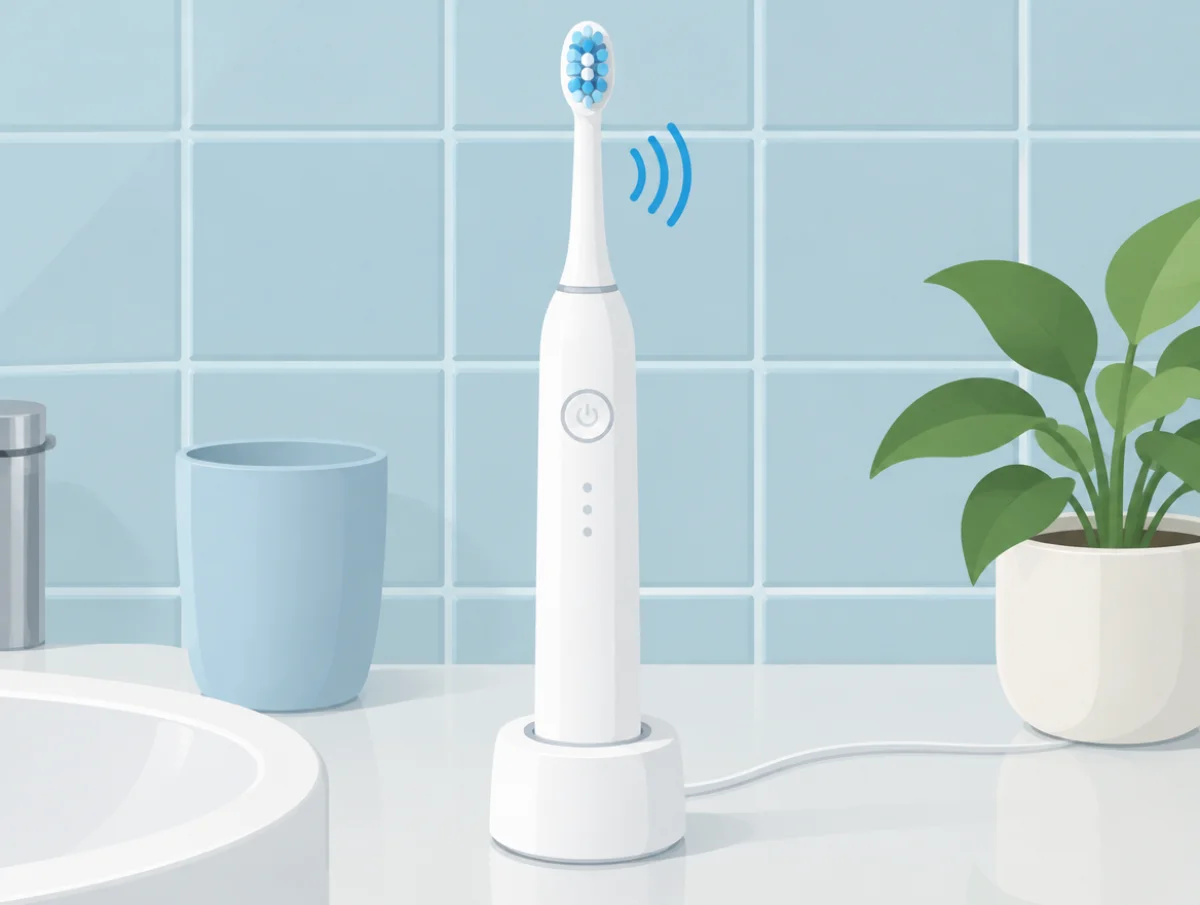
An electric toothbrush makes most of its noise at the brush head, and that is where most of its noise problems start. A head pushed on loosely or worn past three months rattles. The pause every 30 seconds is a timer. A slowdown when you press hard is a pressure sensor, and the beeps on a charger are status signals about the battery or a setting. The two sounds that mean real trouble are a handle that stays loud with no head fitted, and anything that comes with a burning smell.
This page draws on support articles, FAQs and manuals from Philips Sonicare, Oral-B, quip, BURST, Waterpik, Fairywill, Colgate and Spinbrush, read on November 17, 2026. Panasonic was the one brand we could not use: its Asian manual link refused the download, and a search of its US store that day found only a MultiShape brush head.
| Sound | Cause a maker names | First step |
|---|---|---|
| Rattle or clatter | Brush head loose or worn (Philips, Oral-B) | Reseat the head, then replace it |
| Loud buzz with no head on | No head fitted (Philips) | Fit a head |
| Pause or stutter every 30 seconds | Quadrant timer (Oral-B, Philips, Waterpik, BURST, Fairywill, quip) | Move to the next section |
| Longer stutter at 2 minutes | End of brushing time (Oral-B) | Switch off |
| Slows or changes note mid-brush | Pressure sensor (Oral-B, Philips, BURST, quip) | Press more lightly |
| Stronger each day for two weeks | EasyStart (Philips) | Leave it, or switch EasyStart off |
| Two beeps on the charger | Handle seated and charging (Philips) | Nothing |
| Three beeps after brushing | Low battery (Philips) | Charge it |
| Five buzzes, then off | Out of battery (quip Smart Sonic) | Charge it, or a fresh AAA |
| Loud with the head removed | Fault in the handle (Philips) | Repair or exchange |
| Burning smell | Stop at once (Oral-B) | Call support |
Which electric toothbrush sounds are normal?
A steady hum, a short pause or stutter every 30 seconds, and a change in sound when you press too hard are all normal for an electric toothbrush. A rattle, or a loud buzz from a handle with nothing fitted, is not.
The hum is the point of a sonic brush. Colgate's explainer on sonic toothbrushes defines the category by it: to qualify, "the vibration has to be fast enough to produce an audible hum." Philips opens its loud noise article the same way, with "The sound produced is louder than a manual toothbrush," and a reminder that a first electric brush takes some getting used to.
How loud is the hum meant to be? Oral-B is the one toothbrush maker we found that prints a noise level per handle: its manuals run from 62 dB (A) on the top iO handles to 68 on the older Genius X and PRO 6000, and the manuals behind those numbers are compared in our quietest electric toothbrush guide. Philips, quip, BURST and Waterpik publish none. Change matters more than any figure.
The small gap between head and handle is deliberate. The Sonicare 3000 and 4000 Series manual calls it normal: "This allows the brush head to vibrate properly." Oral-B's North American iO10 manual agrees, "A small gap should remain between handle and brush head." Closing the gap backfires on a Sonicare, whose troubleshooting table links a head sitting too close to the body with weaker vibration and asks for 1 to 2 mm of space.
A rattle almost always starts at the brush head
Philips and Oral-B both put a rattling or abnormally loud brush down to the head before anything else. Either it is not seated properly or it is worn out. Reseat it first, and if the noise stays, fit a new one.
Oral-B's rattle troubleshooter sorts by age. A head bought within the past three months probably sits wrong: "Your brush head may not be placed correctly. Remove your brush head and re-attach it to the handle to ensure a proper fit." One older than that "may be all used up" and goes in the bin. The iO10 manual's troubleshooting table lists the same two causes.
The Philips article starts with fit as well: "If your toothbrush makes an abnormally loud noise, a loose brush head may be the reason." Its manual wants the bristles lined up with the front of the handle and the head pressed down the metal shaft until it stops. Then comes replacement, every three months.
Other heads attach differently. Spinbrush heads twist on, a clockwise turn of 90° "until arrows are aligned," and the Spinbrush FAQ treats loose parts as a reason to change the head early: "We recommend you change the brush head every 3 months or sooner if the brush head is worn or parts are loose." Its warning about skipping that is stark, "brush-head breakage, generation of small parts, and possible injury." The Waterpik Sonic-Fusion 2.0 manual asks for a firm press on its head "until it clicks into place."
Run it with no head to find the source
Philips gives a two-step test. Take the head off, switch the handle on, and listen. If the noise stops, the head "is defective or worn out" and needs replacing. If the bare handle still sounds loud or abnormal, the verdict is blunt: "your toothbrush is broken," and Philips points owners to a repair or exchange.
Allow for one thing first. A bare handle is louder by design, since "If you turn on your toothbrush without a brush head, it will make more noise." The test asks whether the sound is still "loud or abnormal" beyond that.
Why is my electric toothbrush getting louder?
An electric toothbrush that grows louder over weeks usually has a worn head, which Philips and Oral-B both replace at about three months. A brand new Sonicare can also get stronger on purpose for its first 14 brushings.
That second case is EasyStart. On the 3000 and 4000 Series it "gradually increases the power over the first 14 brushing sessions," and Philips's weaker vibration article describes it as a feature that makes the brush "increase its vibration level slowly after each brushing session." Turning it off happens on the plugged-in charger: hold the power button until a single short beep, about 3 seconds in, then let go. A falling high-med-low tone confirms it is off. Philips adds that "To achieve clinical efficacy, EasyStart needs to be deactivated."
Worn heads give themselves away. Oral-B's INDICATOR bristles fade halfway in roughly three months of twice-daily brushing, and Sonicare heads are due when the blue bristles fade to white a third of the way down. Handles with BrushSync light an amber reminder. Philips also says "Stop using a brush head with crushed or bent bristles," and Oral-B reads early splaying as a sign that "you may exert too much pressure on teeth and gums."
Mode matters too. Oral-B lists its «Intense» mode as "operated with a higher speed," while Philips names TongueCare and Sensitive as gentler settings. A brush that seems louder this week may simply be in another mode.
The 30-second pause is a timer
Pauses, stutters and double buzzes every 30 seconds are quadrant timers telling you to move to the next part of your mouth. A stronger signal, or the motor stopping, marks two minutes.
| Brush | Every 30 seconds | At 2 minutes |
|---|---|---|
| Oral-B, most models | Short stutter | Longer stutter, keeps running |
| Oral-B Vitality | Nothing | One stutter |
| Philips Sonicare 3000 and 4000 | "short beep and pause" (QuadPacer) | SmarTimer switches it off |
| Waterpik Sonic-Fusion 2.0 | Short pause | Shuts off |
| BURST | "double vibrate" | Not stated in its FAQ |
| Fairywill | Pause | 2-minute timer |
| quip Rev | Pulse | Shuts off |
Oral-B's pulsing article puts it simply: the short pulse is "the quadrant timer reminding you to move to another area of the mouth every 30 seconds," and a long pulse "means you've brushed for the dentist-recommended 2 minutes." Fairywill's FAQ describes a timer that "pauses every 30 seconds to remind you to change areas of the mouth," and BURST's FAQ calls its version the Quadinterval timer.
Short breaks are remembered. Oral-B's type 3766 manual keeps the elapsed time for 30 seconds after you switch off, and Sonicare's SmarTimer resets after a 15-second pause.
Oral-B handles keep running after the long stutter
Most Oral-B brushes have no automatic cut-off. The timer article says the brush stays on until you press the button, "except for Oral-B iO models which stop after 5 minutes," because you may want to keep brushing.
An iO can also lose its stutter. The iO10 troubleshooting table blames a timer changed or switched off in the Oral-B App, and notes the timer is disabled while brushing recognition runs through the app or the iOsense charger. The fix is the app setting or a factory reset. In «Tongue Clean» mode the motor stops after 30 seconds, which is also normal.
What does a change in sound under pressure mean?
A sudden slowdown or new note in the middle of brushing usually means the electric toothbrush's pressure sensor has tripped. Oral-B, Philips, BURST and quip all signal through the motor's sound or feel, with a light on most models.
On the Oral-B Smart 1500 to 2500, the red light comes on and "the pulsation of the brush head will stop and the oscillation movement of the brush head will be reduced." The iO10 manual is shorter: "During high pressure the brush head movement will be reduced," in «Daily Clean», «Intense» and «Sensitive» modes. The sensor is off during «Tongue Clean».
Sonicare handles do the same thing by ear. "This feedback is given by a change in vibration and therefore brushing sensation and sound," says the 3000 and 4000 Series manual, and the replacement reminder light flashes amber at the same time. Owners can switch it off on the charger, holding the power button through three short beeps at about 7 seconds.
The BURST Pro Sonic works both ways. Its FAQ reassures owners "If the brush slows down mid-cycle," explaining that the brush wants lighter or firmer pressure, and adds that "the brush will idle until the head recognizes pressure." A Pro that sounds soft in the air and speeds up in the mouth is behaving as designed. On the quip Ultra, too much force brings "lights and pulses to ease up on your grip," and the quip FAQ says "We never recommend turning off your pressure sensor."
Beeps and buzz patterns are battery messages
Most beeping comes from Sonicare handles reporting on the battery or a setting. Two beeps when the brush meets the charger are a good sign: "This indicates that the handle is placed properly and is charging."
After brushing, the 3000 and 4000 Series handle gives 3 beeps when the battery is low and two sets of 5 beeps when it is empty. Holding the power button on the charger opens settings, with one, two or three short beeps and then a rising or falling triple tone, and the manual warns that "the activate/deactivate sequence repeats" if you keep holding.
Other makers use buzzes and lights instead. A quip Smart Sonic "buzzing 5 times before turning off" is, by quip's FAQ, most likely out of battery, and on a non-rechargeable model a fresh AAA battery is the fix. An Oral-B iO blinks its light ring quickly in red when low, and orange signals an error with a message on the display.
What about a humming charger? Not one manual or help page used here mentions one. A charger that buzzes, gets hot or smells is a question for the maker, and Oral-B's burning smell page says "If you are experiencing a burning smell from your brush or charger, discontinue use immediately."
Why is my electric toothbrush buzzing on its own?
An electric toothbrush still buzzing after you finish is often just still switched on. Most Oral-B handles run until you press the button, and an iO stops by itself after 5 minutes. A handle that starts unprompted needs a closer look.
Toothpaste is one suspect. In its not vibrating article, Philips says residue "can build up around the power button" until the button sticks, and cleans it with a damp cloth. That article deals with a brush that will not start, though, and none of the makers here covers a handle switching itself on.
Resets come next. For "Unwanted toothbrush behavior," the iO10 manual names a misconfigured brush and prescribes a factory reset from the display's Settings menu. quip's hard reset for the Ultra is the power button held for more than 15 seconds. Water is the other enemy: Spinbrush warns that "If water leaks into the battery area, the batteries may stop working sooner," and asks owners not to submerge the brush. If a clean, reset handle still runs by itself, treat it as a warranty question.
A weaker buzz points to the battery first
A brush that sounds feebler than it used to is most often short of charge. Philips's first step for weak vibration is a full charge, "overnight for at least 24 hours," on the brush's original charger.
That original charger matters, since "The chargers for all Sonicare toothbrushes are different and not compatible with other Sonicare models." After charging, Philips works through EasyStart, a worn head and a gentle mode before suggesting internal damage. Spinbrush owners with AA handles should fit fresh batteries "if you notice decreased power." On an Oral-B iO, an empty battery stops the motor outright.
When the noise means a fault
Three signs from the makers point past the brush head to the handle or charger. A handle still loud or abnormal with the head off is broken by Philips's test. Lights without vibration mean internal damage. A burning smell means stop now.
Philips spells out the second one: "If your toothbrush powers on and the battery light indicators are lit, but there is no vibration, your toothbrush has internal damage." It sends all three of its noise and vibration articles to a repair or exchange once the steps run out, and every Sonicare toothbrush carries a 2-year warranty. The manual excludes brush heads as consumables, and it asks owners not to tap the handle on the sink or counter to shake off water.
Oral-B lists 1-800-566-7252 for its support team, weekdays 9:00am to 6:00pm EST, and both Oral-B's and quip's troubleshooters end in a warranty claim. quip asks for a photo, proof of purchase and the numbers printed on the motor or brush pod. BURST offers lifetime warranty protection on the Pro while you subscribe to its replacement heads.
Where to go next
If the noise is the brush itself rather than a fault, the quietest electric toothbrush guide sets Oral-B's printed noise levels side by side and explains why Sonicare, Laifen and Oclean cannot be ranked against them. If the buzz comes from a flosser rather than a brush, the water flosser buzzing guide is the right one. Water flossers are louder still, and the quietest water flosser guide covers the three Panasonic models with declared sound power.
The same bathroom shelf has other buzzing motors. Our page on hair clipper noises covers clatter and slow hums, and for the rest of the room there are pages on toilet noises and making a bathroom fan quieter.